


A creator hits one million views and posts a celebratory tweet. Another creator with 100,000 views on a similar video gets paid eight times more. Both happen on YouTube every single day. The number that decides who walks home with the bigger check is not views. It is RPM.
Views Don't Pay. Monetization Does
A view is a metric. It tracks attention. It does not move money.
YouTube ad revenue works through a chain.
⬇️ An advertiser pays YouTube to show an ad.
⬇️ YouTube serves that ad against your long-form video.
⬇️ It keeps 45% of AdSense revenue and gives you 55%.
⬇️ The remaining amount is divided across however many monetized views your video produced. That final figure, per 1,000 views, is your RPM.
Two channels can sit on identical view counts and end up with totally different bank deposits.
The difference is the price advertisers were willing to pay for those specific viewers, watching that specific video, in that specific week.
💥 Tip: Stop tracking views as your headline number. Inside YouTube Studio, open Analytics and pin RPM next to Views. That single switch can change what you decide to film next.
👉 Discover the CPM and RPM rates for 2026.
The Math Behind RPM (and Why CPM Lies)
YouTube CPM (Cost Per Mille) is what advertisers pay per 1,000 ad impressions (and this number is more pleasing, but less realistic).
YouTube earnings per view come from RPM (Revenue Per Mille), which counts every video view, including the ones where no ad ran at all. In other words, it shows your earnings (minus YouTube's 45% cut) for every 1,000 views of your video. In reality, RPM is considerably lower than CPM.
Suppose your video pulls 100,000 views. CPM is $10. That looks like $1,000 in your pocket. But it is not.
Only about 40 to 60% of views typically show monetized ads. The rest are skipped, ad-blocked, watched on kids' profiles, or come from regions where ads don't serve.
YouTube takes its 45% cut. The same video that looked like a $1,000 payday usually lands between $250 and $400 of actual creator earnings, and YouTube credits to AdSense.
So when someone brags about a $30 CPM, ask for their RPM. CPM is the rate card. RPM is the receipt.
💥 Insight: A high CPM with a low monetized playback rate still beats nothing, but it loses to a moderate CPM with high coverage. Format and audience drive coverage just as much as niche does.
👉 Learn more about the CPM and RPM as the key metrics for YouTube monetization.
10x More Views, Almost the Same Money
Two videos on the same channel. One pulls 1,000,000 views. The other pulls 100,000. The 100K video cashes out almost 2.5 times more. This pattern shows up across hundreds of mid-size channels, and it confuses every new creator.
Here is the math. The 100K video sat on a search query like "Best CRM for small business 2026," served mostly to US and UK office workers, on an 11-minute review with two mid-roll ads. RPM came in near $13, payout: roughly $1,300.
The 1M video was a six-minute reaction clip on the same channel. It went viral, but the audience that found it was mostly mobile viewers in Tier 3 geographies, where advertisers pay a fraction of what they spend to reach US and UK audiences. At six minutes, the video also falls just below YouTube's eight-minute threshold for mid-roll ads, so it ran a single pre-roll at most. RPM landed around $0.5, payout: roughly up to $500 (and that’s at best; it could be even less).
Same channel. Same monetization settings. A 10x difference in views produced a 2.5x difference in earnings.
💥 Practical takeaway: Open YouTube Studio, sort by "Top earning content," not "Top viewed." You will likely find most of your income comes from a handful of low-view, high-RPM uploads. Make more of those.
👉 Check this out: How much YouTube pays per view.
Your Niche Sets Your Income Ceiling
YouTube monetization explained in one sentence would be that advertisers pay more to reach audiences that buy expensive things.
A finance channel teaching index investing pulls $15 to $40 CPM because brokerages, robo-advisors, and credit card brands fight to reach ready-to-spend viewers.
A gaming Let's Play channel pulls $1 to $4 CPM because the dominant ad pool is mobile-game install ads, which compete on volume rather than viewer value.
“The norm for most creators is CPM rates of $2-$8 in most niches. Getting even 5x more views would not always translate to earning more revenue than a niche that has a more affluent audience or more opportunities for brand deals or affiliate income,” once said YouTube creator Roberto Blake.
That’s why, for creators, a small, affluent audience in a focused niche is worth far more than millions of disengaged viewers. Audience quality and trust generate higher revenue than raw view counts.
But remember, CPM is about what advertisers pay. RPM is about what you keep. And their results can vary considerably. That’s why choose your niche wisely:
- High RPM niches YouTube currently rewards include personal finance, B2B software, legal advice, real estate, insurance, digital marketing, business productivity, and high-ticket health and supplements.
- Mid-tier: tech reviews, automotive, parenting, language learning.
- Lower tier by default: gaming, comedy, pranks, music covers, casual vlogs, animated entertainment.
👉 Learn more about what you can do if your niche is undermonetizable.
“If we look at this page over here, these top three videos - 'Passive Income Ideas,' 'How to Invest for Beginners,' and 'How to Build a Website' - from 2022 account for a third of all the revenue that this YouTube channel has made across approximately 510 videos. But I think it also speaks to the power of choosing your niche: if I were starting a YouTube channel today completely from scratch, I would probably choose something in the finance or business niche, because I would need to get less than ten times fewer views to get the same amount of money,” once said YouTube creator Ali Abdaal.
So, as you can see, the top three finance videos account for a third of the channel's total revenue, proving that niche selection matters more than view count.
💥 Tip: You don't have to abandon your niche. You can layer high-RPM content inside it. A gaming channel can drop a "Best gaming chairs under $300" review. A travel channel can add "Cheapest international SIM cards in 2026." Same audience, new ad inventory.
👉 Discover the most profitable YouTube niches.
Where Viewers Live Sets Your Pay Rate
A view from New York is not the same as a view from Mumbai. The advertiser pool, currency, and purchasing power differ by an order of magnitude.
Geographic location dramatically impacts YouTube revenue: an Indian creator needs ten times more views to earn what an American creator makes with the same effort.
“What you'd make on a billion views in India, you'd probably make the equivalent on, let's say, if it was like an 80-cent RPM and you had an $8 RPM, you'd probably make the same amount of money off 100 million views in America. Right? So like, um, one-tenth. Yeah. So for you, it's like, that's crazy, right? Like, if an American creator getting 100 million views would theoretically make just as much as you getting a billion, which is wild to think.” - once said Jimmy Donaldson (MrBeast).
That is why two channels covering the same topic, with the same view counts, can sit eight to twelve times apart on monthly income.
💥 Example: A tech tutorial creator who switched titles from "How to set up X" to "How to set up X (US setup)" and added US-specific examples saw their US viewer share jump from 22% to 41% over four months. RPM nearly doubled. View counts stayed flat.
💥 Tip: In Studio, open Audience, then Geography. If less than 30% of your views come from Tier 1 countries, your monetization is leaving money on the table. Title language, thumbnail style, examples used, and posting time all shift the geo mix.
👉 Explore countries with a higher CPM rate.
More Minutes, More Ad Slots, More Money
Once again, YouTube only allows mid-roll ads on videos 8 minutes and longer. That single line in the policy is the difference between one ad slot and six or seven ad slots per video.
A 7-minute video carries pre-roll and post-roll.
A 12-minute video can stack pre-roll, post-roll, and two or three mid-rolls.
A 25-minute deep dive can sit on six or more mid-rolls without irritating viewers, as long as the breaks land at clean scene cuts.
Format matters too. Long-form horizontal videos draw search traffic and watch-later behavior, both monetized fully.
Shorts pay from a separate revenue share that averages between $0.02 and $0.08 RPM for most creators.
Livestreams open Super Chats and Channel Memberships, which often beat AdSense per hour of broadcast.
So you need to think carefully about your format choice: Shorts for virality and reach, but long-form for actual earnings.
💥 Tip: If your topic supports it, target 10 to 14 minutes with two well-placed mid-rolls. Avoid stacking ads at the start. Place breaks right after a question is asked or a scene cuts, so retention stays clean and skip rates stay low.
👉 Find out how to increase your watch time.
Cash Out on Your Clock
Your YouTube money doesn't have to wait until the 21st of next month. MilX lets you cash out anytime, in 40+ currencies, to a bank, card, e-wallet, or crypto. Sign up for free, plug in your channel, and your income moves the moment you decide.
Why Viral Traffic Is Often the Cheapest Traffic
This is the part most creators miss when they chase reach. Viral videos pull broad, casual, mobile-heavy audiences. The algorithm gladly serves your viral clip to anyone, anywhere, because watch time is its currency.
Your monetization, though, depends on whether those viewers are advertisable. Most viral surges include a heavy share of:
- Younger viewers with no purchasing power (lower bid pools).
- Tier 3 geographies (low CPM markets).
- Ad-skippers and ad-block users.
- Non-monetized regions where no ad serves at all.
- Made-for-Kids audiences (limited or zero personalized ads).
Here's the MilX data insight: a 5M-view viral upload often pays the same or less than three well-planned 80K-view tutorial videos in a high-RPM niche. The viral video also rarely converts into subscribers who watch your monetizable evergreen catalog.
💥 Insight: Don't optimize a whole channel for virality. Use one or two viral pieces as discovery fuel, then funnel that attention into your high-RPM evergreen library through end screens, pinned comments, and playlist autoplay.
👉 Learn why some viral videos bring zero money.
Same Video, Different Month, Different Money
Even your steady performers do not pay the same every month. Ad spend is seasonal.
Q4 (October through December) is the highest CPM window every year. Retailers, consumer brands, streaming services, and gift advertisers pour money into holiday campaigns. January is famously the worst month, with CPMs dropping 30 to 50% as advertisers reset budgets. Summer dips, then Q4 spikes again.
A video that pulled $2,000 in November can pull $700 in January with identical view counts. Nothing about the video changed. The ad market did.
💥 Tip: Plan upload calendars and bigger productions to land just before Q4. Save evergreen launches for high-CPM windows. Save experimental or low-stakes uploads for Q1 when CPMs are low anyway.
👉 Explore more about the seasonal YouTube content.

AdSense Is Not the Only One Layer of Your Revenue Stack
If your only income source is AdSense, you are exposed to every algorithm tweak and every ad market dip. The strongest creator earnings YouTube produces come from layered revenue stacks, not raw ad views.
Layers that work today:
- AdSense: baseline, view-driven, volatile.
- Channel Memberships: predictable monthly recurring income.
- Super Thanks and Super Chats: one-tap viewer support on live and on-demand.
- Brand deals and integrations: direct revenue, no YouTube cut.
- Affiliate income: description links and pinned comments, no YouTube cut.
- Your own digital products, merch, or services: highest margin, full ownership of the customer.
👉 Learn more about YouTube passive income.
A 100K-subscriber creator with 200K monthly views may book $400 in AdSense, $900 in memberships, $1,500 in affiliate, and $3,000 in one brand deal. The AdSense looks small. The income is real.
💥 Tip: Treat AdSense as your floor, not your ceiling. Add at least one non-AdSense revenue line every quarter and track its share in a simple spreadsheet.
👉 Try these 7 revenue streams beyond AdSense.
Get Paid Before the Views Roll In
AdSense pays you once a month. MilX Active Funds lets qualifying creators pull up to six months of future YouTube monetization forward today. Try the MilX app free and see if your channel qualifies.
How to Cash Out More Without Chasing More Views: An 8-Step Guide
This is the part you can act on this week. None of these tactics needs more views. All of them improve YouTube income optimization on the catalog you already have.
- Open your top 10 videos by revenue (not views) in Studio. Write down their length, niche angle, audience country mix, and ad slot count. That is your money pattern. Make more videos that match it.
- Extend videos under 8 minutes to 10-plus minutes where the content can carry it. Add a Q&A block, a "common mistakes" segment, or an extra example. Two extra minutes can open up two new mid-roll slots.
- Re-title and re-thumbnail old videos to skew geography. Add specifiers your Tier 1 audience uses: "US," "UK," "in dollars," "for Mac," "with USB-C," "in 2026." You can do this without re-uploading the file.
- Build playlists around your highest-RPM topics. Funnel viral and search traffic into those playlists through end screens, pinned comments, and the i-card.
- Add mid-roll markers manually in Studio. Place them right after a scene cut or a question is asked, so retention does not drop during the break.
- Diversify revenue this quarter. Add one of: Channel Memberships, a niche-relevant affiliate program, a paid digital product, or a brand deal pitched directly.
- Verify your tax info in AdSense. A missing or invalid W-8BEN or W-9 form can drop your effective payout rate by up to 24% on US-generated views. This one is silent and costs creators thousands every year.
- Stop deleting old uploads. Old videos with even tiny monthly views still feed channel authority and pull long-tail RPM. Pruning kills compounding income.
For the AdSense fundamentals straight from the source, see Google's YouTube Partner Program revenue help docs.
👉 Discover more about how to monetize old videos.
Access Your YouTube Money Faster: MilX
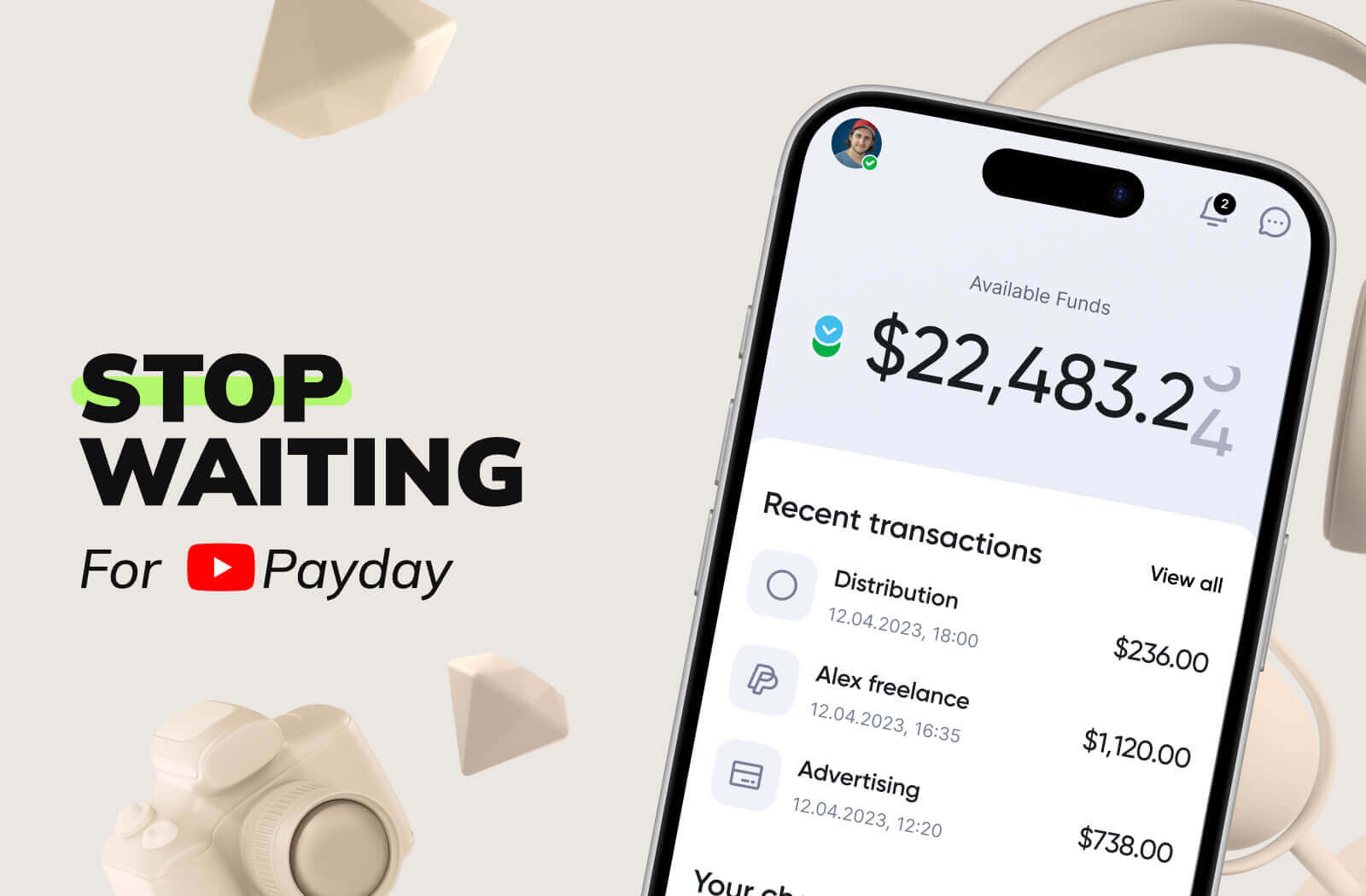
YouTube pays once a month, on its calendar. Your editor, your gear, your next shoot, and your rent don't. MilX closes that gap.
With MilX Active Funds, qualifying creators access up to six months of future YouTube monetization upfront.
Repayment runs automatically at 5% of monthly income, so you don't track due dates. Daily commission starts from 0.33%.
Once your money lands in MilX, you move it your way:
- 10+ payout methods (bank card, bank transfer, PayPal, Payoneer, Bitcoin, USDT, USDC, PIX, Zelle, GIM), and 40+ currencies,
- Instant Payments arriving in under five minutes,
- free P2P transfers between MilX users to pay your editor or thumbnail designer in one tap.
Over 5,000+ creators already run their channel finances through MilX. The platform has processed more than $500M in creator income, and is an Official YouTube Partner with a 4.6/5 Trustpilot rating.
👉 Explore why YouTube creators love MilX.
Whether you are scaling a series, funding a new shoot, or just want your money sooner, MilX gives you the speed and flexibility a once-a-month AdSense payout simply cannot.
👉 Try MilX free and see what cashing out on your own terms feels like: Download the MilX app.