This guide is for channels on the way into the YouTube Partner Program (YPP) and for creators already in it who want longer views, since a video of 8 minutes or longer can carry mid-roll ads. The bar is also about to move. YouTube has announced that from February 1, 2027, new applicants will need 8,000 qualified watch hours in the last 365 days or 20 million qualified Shorts views in the last 90 days. So every table below shows both numbers.
Key takeaways
- Ad revenue in the YouTube Partner Program needs 1,000 subscribers and 4,000 qualified watch hours in the last 12 months. From February 1, 2027, new applicants will need 8,000.
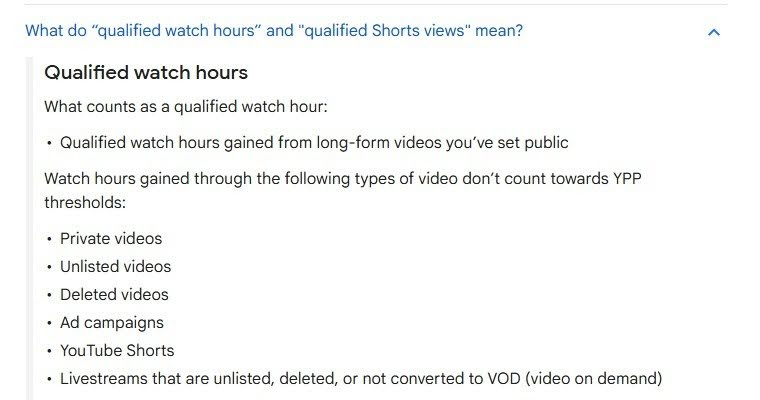
- Shorts, private, unlisted, and deleted videos, ad campaigns, and live streams that weren't saved don't count toward the 4,000 hours.
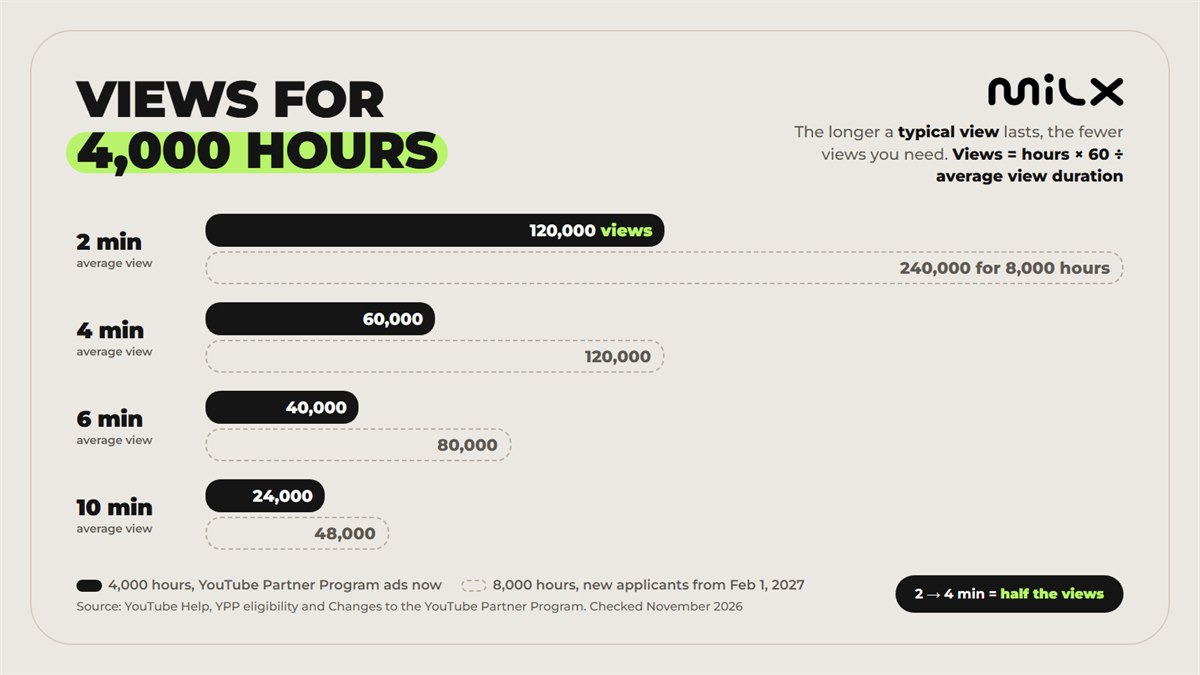
- At a 4-minute average view duration, 4,000 hours takes about 60,000 views. At 2 minutes, it takes 120,000.
- The biggest levers are the first 30 seconds of a video and what plays next, meaning end screens and playlists.
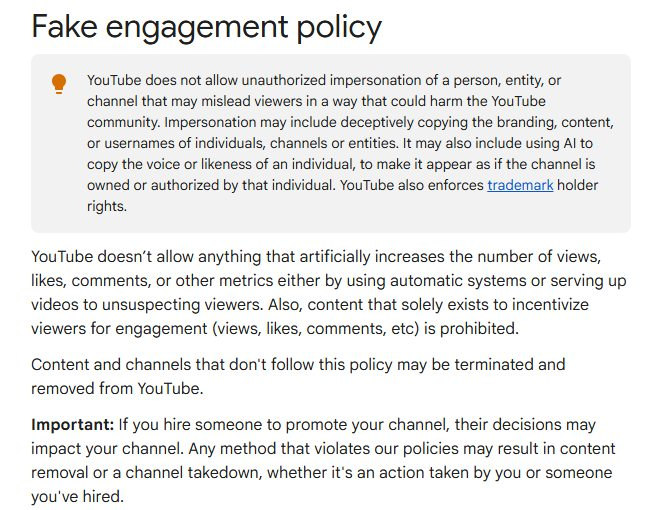
- Bought or "free" watch hours break YouTube's fake engagement policy. YouTube doesn't count artificial traffic, and the channel can lose videos or get terminated.
What counts toward 4,000 public watch hours
To earn from ads in the YouTube Partner Program, a channel needs 1,000 subscribers plus one of two things. That's 4,000 qualified watch hours in the last 12 months or 10 million qualified Shorts views in the last 90 days, per YouTube's Partner Program overview and eligibility page. All the conditions are in our guide to YouTube monetization requirements for 2026.
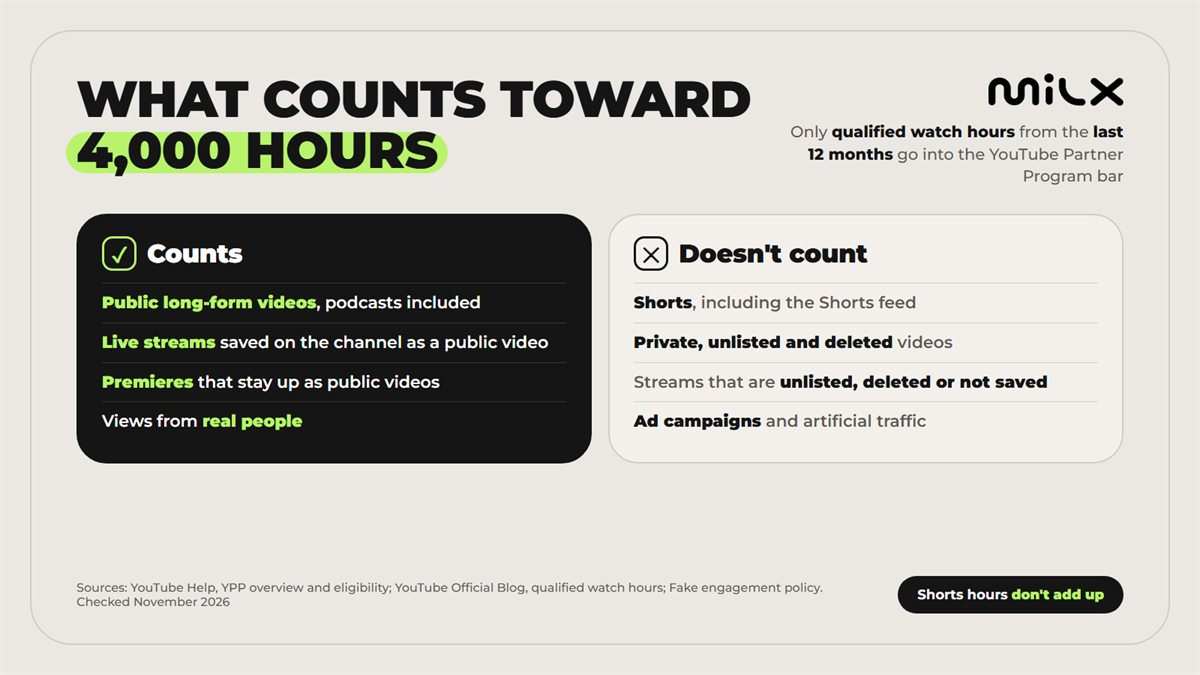
"Qualified" means YouTube filters the hours. Here's what goes into the 4,000 and what stays out.
| Counts toward 4,000 watch hours | Doesn't count toward 4,000 watch hours |
|---|---|
| Public long-form videos, podcasts included | Shorts, including hours watched in the Shorts feed |
| Live streams that stay on the channel as a public video | Live streams that are unlisted, deleted, or never saved as a video |
| Premieres, once they stay up as public videos | Private and unlisted videos |
| Hours from the last 12 months only | Deleted videos, along with every hour they ever earned |
| Views from real people | Views from YouTube ad campaigns and artificial traffic |
Sources: YouTube Help — YouTube Partner Program overview & eligibility; YouTube Official Blog — What counts as qualified watch hours and views; YouTube Help — Fake engagement policy. Checked November 2026.
Shorts hours and long-form hours never add up. A channel with 2,500 hours from long videos and 3,000 hours from Shorts still has 2,500 qualified hours. It has to fill one route, either the watch hours or the 10 million Shorts views. If Shorts are your main format, our YouTube Shorts monetization guide covers that route.
There's also an earlier step. In countries with the expanded program, a channel can join YPP with 500 subscribers, 3 public uploads in the last 90 days, and 3,000 qualified watch hours in 12 months (or 3 million Shorts views in 90 days). That opens fan funding and Shopping, not ad revenue. The 2027 update doesn't change this tier.
Watch time vs average view duration vs retention
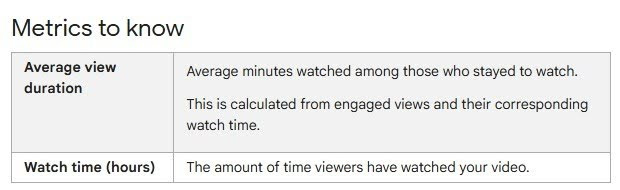
- Watch time is the total time people spent on your videos.
- Average view duration (AVD) is how long one typical view lasts.
- Retention is the share of a video people watched, and the audience retention graph shows where they left.
Watch time vs average view duration comes down to one formula. Watch time equals views multiplied by average view duration. So 1,000 views at 3 minutes each give 3,000 minutes, which is 50 hours.
That's an estimate now, though. Since August 24, 2026, YouTube counts a view the moment a video starts to play, and its audience retention help page says AVD is calculated from engaged views. Views can grow while your hours stay flat, so go by the watch hours YouTube Studio shows.
Each metric moves for its own reasons.
- Views grow with impressions and click-through rate, so titles and thumbnails move them.
- Average view duration grows when the opening keeps its promise, and the middle doesn't drag.
- Retention depends on length. A 40% share of a 20-minute video gives more hours than 70% of a 5-minute one.
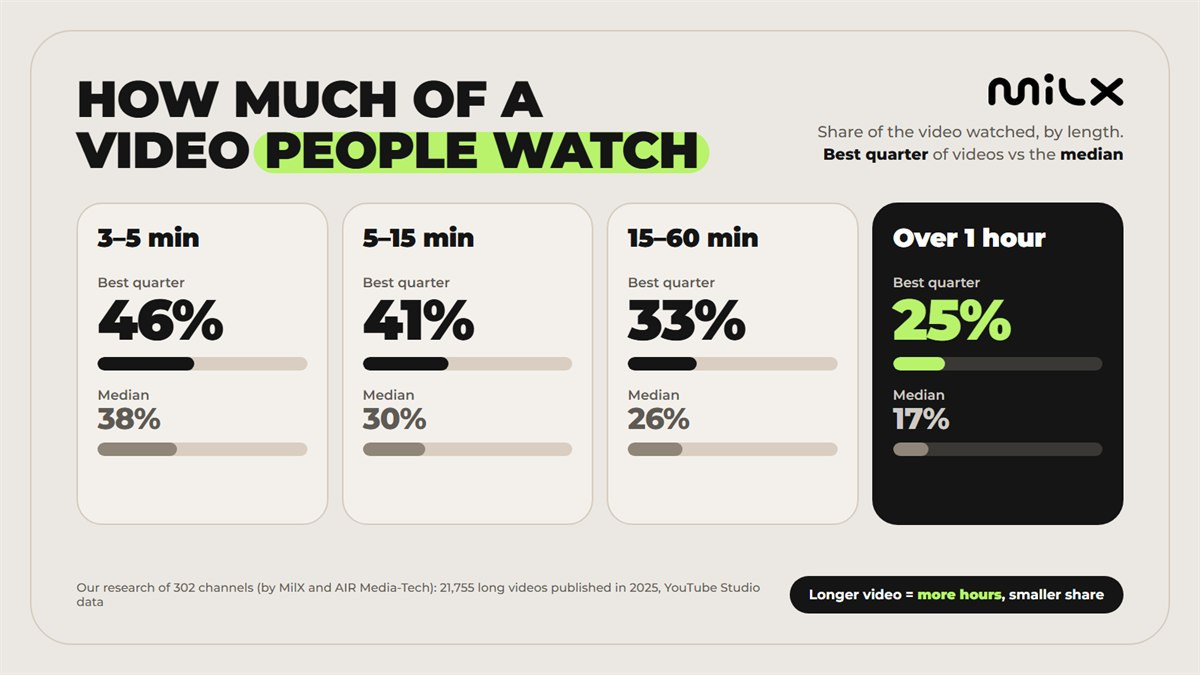
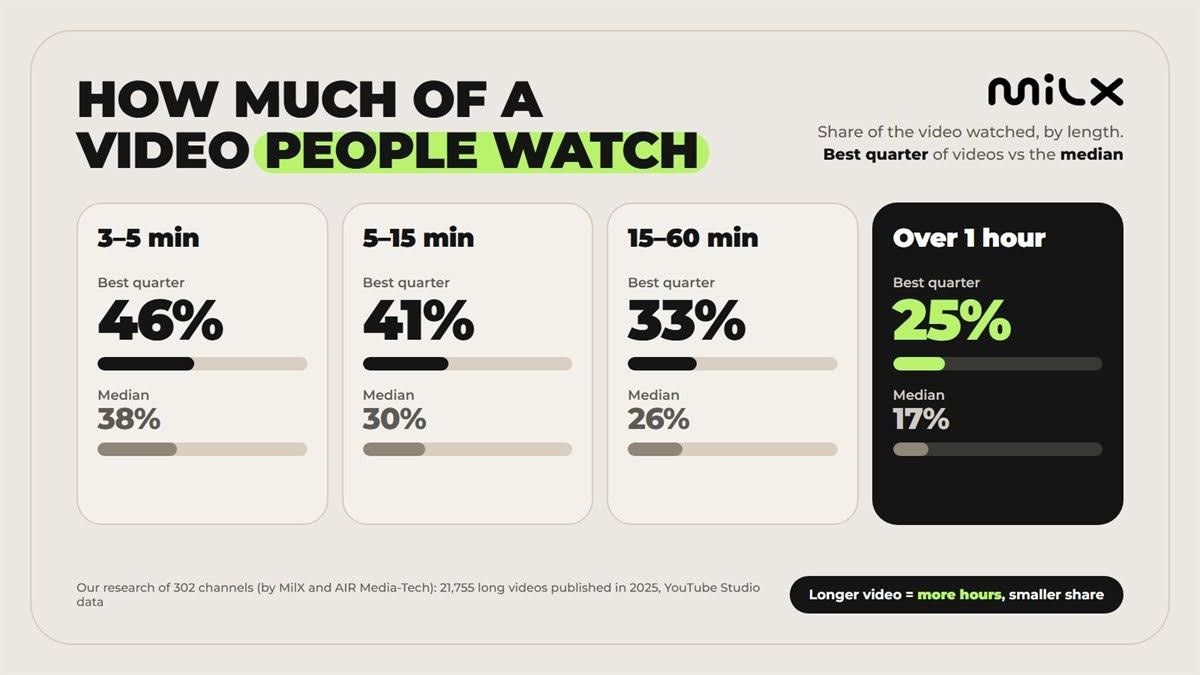
How much of a video is a good share? In our research of 302 channels (by MilX and AIR Media-Tech), the best quarter of 21,755 long videos published in 2025 held at least 46% of their length at 3–5 minutes, 41% at 5–15 minutes, 33% at 15–60 minutes, and 25% past an hour. The median video held 38%, 30%, 26%, and 17% (AIR Media-Tech published the full breakdown).
How many views you need for 4,000 hours
The YouTube watch time 4000 hours bar is 240,000 minutes. If you searched for 4000 minutes of watch time on YouTube, that's the number to keep in mind, because the bar is in hours. Divide 240,000 by your average view duration (in minutes) to get the views you need. Here's the math for each bar, rounded.
| Average view duration | Views for 3,000 hours (fan funding) | Views for 4,000 hours (ads, now) | Views for 8,000 hours (new applicants from Feb 1, 2027) |
|---|---|---|---|
| 1 minute | 180,000 | 240,000 | 480,000 |
| 2 minutes | 90,000 | 120,000 | 240,000 |
| 3 minutes | 60,000 | 80,000 | 160,000 |
| 4 minutes | 45,000 | 60,000 | 120,000 |
| 6 minutes | 30,000 | 40,000 | 80,000 |
| 8 minutes | 22,500 | 30,000 | 60,000 |
| 10 minutes | 18,000 | 24,000 | 48,000 |
Views = watch hours × 60 ÷ average view duration in minutes. Thresholds: YouTube Help — YouTube Partner Program overview & eligibility; YouTube Help — Changes to the YouTube Partner Program. Checked November 2026.
Raising your average view duration from 2 to 4 minutes halves the views you need for 4,000 hours, from 120,000 to 60,000. That's usually easier than doubling your views, and the 13 ways below work on it.
In days, 4,000 hours is about 167 days of nonstop playback. Spread over a year, it's about 11 hours of watch time every day.
Where to find your watch time in YouTube Studio
Here's how to see your YouTube watch time.
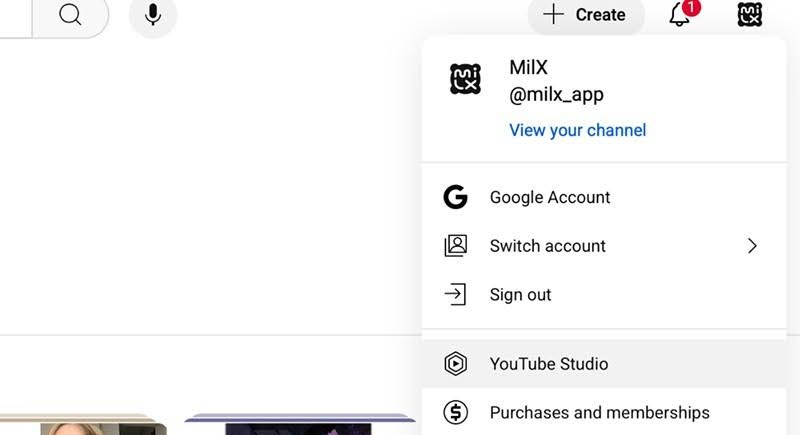
- Open YouTube Studio from your profile picture.
- Click Analytics in the left menu.
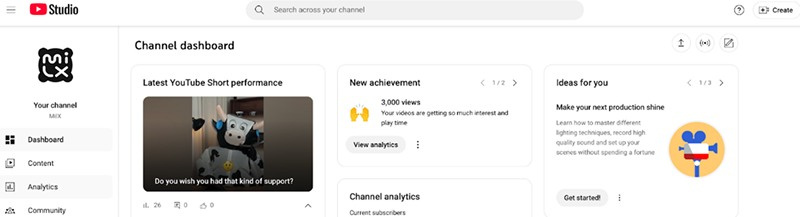
- On the Overview tab, look at Watch time (hours).
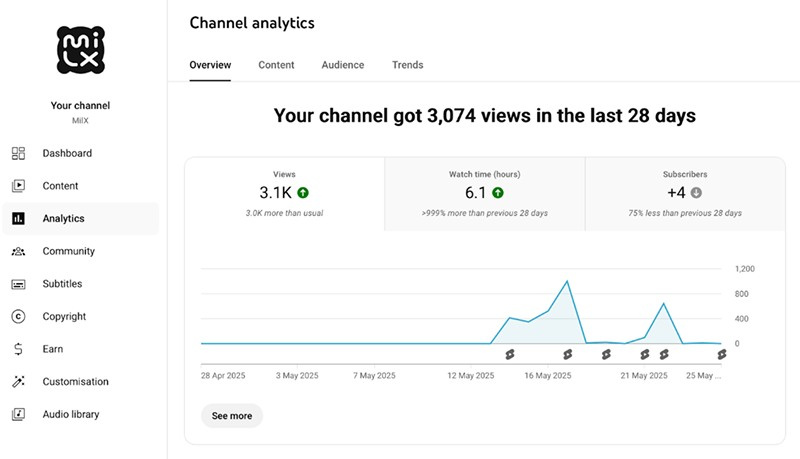
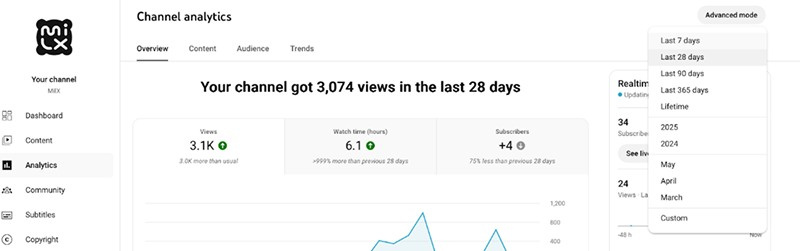
- Use the date filter in the top right to check the last 28, 90, or 365 days.
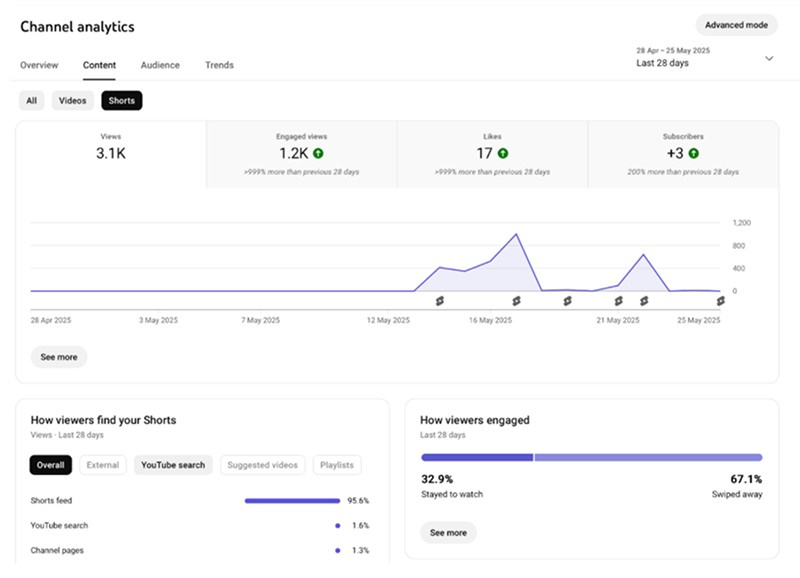
- Open the Content tab and switch between Videos and Shorts (and Live, if you stream) to see which format brings the hours.
Analytics shows all your watch time, Shorts included. The number that counts toward YPP is in the Earn tab. Before you join, it shows your subscribers and your qualified watch hours from the last 12 months as progress toward the bar. Select Get notified on the same screen, and YouTube emails you once you're eligible.
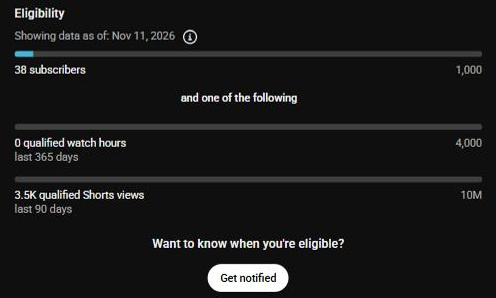
YouTube Help lists what it filters out of that number.
The Earn tab total can drop even in a good week. The 12-month window moves every day, so the hours you earned on this date last year fall out of it.
13 ways to increase watch time on YouTube
These are the moves that increase watch time on YouTube, in the order a viewer encounters them. Tips 1–3 work on the first 30 seconds, 4–8 in the middle of the video, and 9–13 at the end of the video and the video that plays next. Each tip says what to do, why it works, and where to check the result.
If you're wondering how to increase watch hours on YouTube without more uploads, start with tips 1, 2, and 13. A YouTube watch hours increase usually comes from videos you already have, once people stay longer on them and find the next one.
1. Find where viewers leave
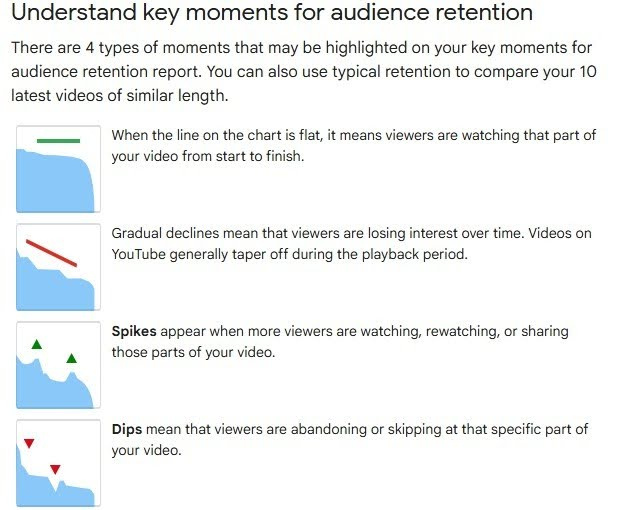
Open a video in YouTube Studio, go to Analytics, then Engagement, and look at the audience retention graph. A sharp drop in the first 30 seconds means the opening let people down. YouTube's key moments report also marks spikes, where people rewatched, and dips, where they skipped or left. Check your last 10 videos, not one.
2. Open on what the title promised
Show the thing from the thumbnail in the first frame, then say what the viewer will get. Skip "Hey guys, today I'll maybe talk about…" and start with "Here's how I doubled my views in 30 days." People clicked for that promise. Check the share still watching at 30 seconds on the retention graph.

3. Cut the slow start and the filler
Trim long pauses, repeated lines, and side stories. If you get bored watching your own edit, so will your audience.
Compare the average view duration of the trimmed video with your last three.
4. Study what holds viewers in your niche
Pick a few channels in your niche whose videos keep people watching. Note how they open, how fast they move, and where they put chapters or B-roll.
Try one change at a time and watch retention on the next upload.
5. Change the picture every 30 to 60 seconds
Switch angles, cut to B-roll, zoom in on the key point, or add a text overlay. A new picture resets attention, even when you're just talking.
If dips on the retention graph sit on long static shots, that's where the next video needs a cut.
6. Fix the sound first
People forgive average video, but not bad audio. Use a microphone, cut the background noise, and keep music under your voice.
If viewers leave at a moment when nothing changes on screen, check the audio there first.
7. Talk at a steady pace and stay yourself
Too fast and people tune out, too slow and they leave.
Read your script out loud before you record.
Leave in a laugh or an honest reaction, because people come back for the person as much as the topic. Watch returning viewers on the Audience tab in Analytics.
8. Add chapters
Chapters let a viewer jump to the part they need instead of leaving to find it elsewhere. Add timestamps to the description, starting at 0:00, with at least three chapters of 10 seconds or longer, per YouTube's chapters help page.
Jumps to a chapter show as small spikes on the retention graph.
9. Name the next video and put it on the end screen
In the last 20 seconds, skip the long goodbye. Say which video to watch next and why, and put that same video on the end screen, or let YouTube pick with "Best for viewer".
One view adds a few minutes, but a session of three videos adds three times that. Check end screen clicks in the video's Analytics, on the Engagement tab.
10. Build playlists and use cards at natural pauses
Group videos into playlists in the order a new viewer should watch them, starting with your best-held video. Add a card where the video mentions another topic.
One history channel MilX works with does this in every video. In an episode about ancient British tribes, the host says that this tribe faced Emperor Claudius, "who we covered in full right here", and a card to that episode pops up. Link the playlist in the end screen and in your pinned comment too. Check playlist views in Analytics, on the Content tab.

11. Point every Short at a long video
Shorts hours don't count toward the 4,000, but Shorts can send viewers to videos that do. With advanced features on, you can add a related video to each Short, and it shows as a link in the Shorts player.
One fantasy sports channel MilX and AIR Media-Tech worked with had published more than 500 videos in four years and still wasn't in YPP. Its Shorts brought about 91% of its views and about 6% of its watch hours. After it moved to 8–12 minute videos and rebuilt its titles and thumbnails, it got into the program in a few months. Check traffic from Shorts on the long video's Reach tab.
12. Keep live streams as public videos
A live stream counts toward the 4,000 hours only if it stays on the channel as a public video afterward. YouTube archives streams shorter than 12 hours, and a longer one may not be saved at all, so a 24/7 stream adds no qualified hours to a channel under the bar. For a channel already in YPP, it's a different story.
A faith channel MilX and AIR Media-Tech worked with got 4.4 million watch hours from streams in five months, 11 times more than from its regular uploads. Keep each stream under 12 hours and leave it public. Check the Live filter on the Content tab.
13. Give old videos with good retention a new title and thumbnail
A video people watch to the end but rarely click is wasting its retention. Rewrite its title in the words a new viewer would search, and make a cleaner thumbnail. A storytelling channel MilX and AIR Media-Tech worked with dropped its exaggerated thumbnails and clickbait phrasing. Its click-through rate went from 5.6% to 6.4%, and its watch time grew from 90,631 to 272,869 hours. Check impressions and click-through rate on the video's Reach tab 2 weeks before and after.
These tips also feed recommendations, since YouTube looks at how satisfied viewers are, not only at clicks. We cover that in what changed in the YouTube algorithm in 2026. Longer views pay more once you're in, too. Mid-rolls on videos of 8 minutes or longer turn one view into several ad impressions, which shows up in your RPM.
Do watch time increase websites and "free watch hours" apps work?
If you've looked for a YouTube watch time increase website, app, or free service, you've seen the promise of 4,000 hours in days. Some of these services send bots or scripts that play your videos. Others run view exchanges, where creators watch each other's videos for credits. In both cases, the people watching didn't choose your video.
YouTube doesn't allow anything that artificially increases views, likes, or other metrics, whether through automatic systems or by serving videos to viewers who didn't choose them. That's the first line of the fake engagement policy. The same page says artificial traffic isn't counted and can lead to strikes, and that hiring someone else to do it doesn't move the blame off your channel.
So whether you buy watch hours on YouTube or try a free 4000 watch hours hack, the hours tend to disappear, often before they reach the Earn tab. If they don't, a human still reviews the channel when you apply, and the application can be turned down. A channel that keeps breaking the policy can lose its videos or get terminated.
Bots don't watch ads either, so a channel that got in this way earns little afterward. Their weak retention and clicks also tell the algorithm that people don't want your next video.
Three more traps look safe at first.
- YouTube ads. Promoting your video with ads is allowed, but hours from ad campaigns don't count toward the 4,000.
- A looped stream. A 12-hour stream that loops old videos does get archived, but YouTube's monetization policies don't pay for repetitive or reused content, and the reviewer sees the whole channel.
- A request for your password. If a site asks for your Google login, close it, since that's how channels get stolen.
The safe route is slower, but it holds. Find your number in the views table above and work on the 13 tips.
How long does it take to get 4,000 watch hours?
It depends on two numbers. They are the views your channel gets in a week and your average view duration. Here are three channels doing the math.
| Channel | Watch hours a week | Time to 4,000 hours | Time to 8,000 hours |
|---|---|---|---|
| 3 videos a week, 1,500 views each, 4-minute average view | 300 | About 14 weeks | About 27 weeks |
| 2 videos a week, 800 views each, 3-minute average view | 80 | About 50 weeks, right at the edge of the 12-month window | Out of reach, since old hours drop out after 52 weeks |
| The same channel with a 6-minute average view | 160 | About 25 weeks | About 50 weeks |
Watch hours a week = views a week × average view duration in minutes ÷ 60. Assumes the channel keeps the same pace and earned no hours in the year before. Thresholds: YouTube Help — Changes to the YouTube Partner Program. Checked November 2026.
At 80 hours a week, the first hours drop out of the 12-month window just as the total gets close to 4,000. Doubling the average view duration halves the time without a single extra upload. To count your own pace, divide the hours you still need in the Earn tab by your weekly hours from Analytics.
Timing matters this winter. YouTube decides on applications in about a month, per its eligibility page. An application that reaches YouTube by 23:59 UTC on January 31, 2027, is reviewed against 4,000 hours even if the decision comes later. That's how AIR Media-Tech's partner support team explains it in their breakdown of the 2027 rules. Once you're in, here's how much money 1,000 subscribers can bring.
Find your average view duration in YouTube Studio, look up your number in the views table, and pick the tips that fix your biggest drop. Leave old videos public, keep streams saved, and skip anything that promises hours for free. If you're close to 4,000, aim to apply before February 1, 2027, when new applicants will need twice as much.
Once you're monetized, will you wait 50 days for every payout?
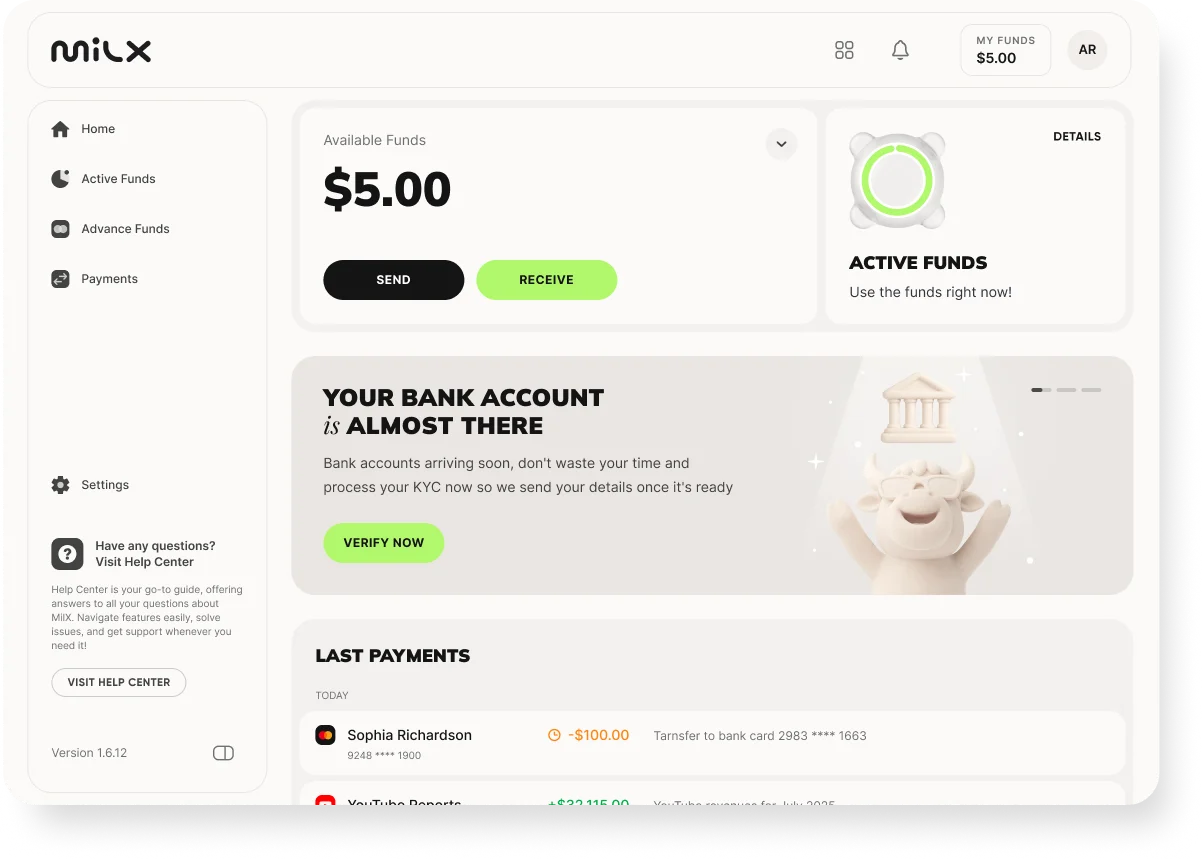
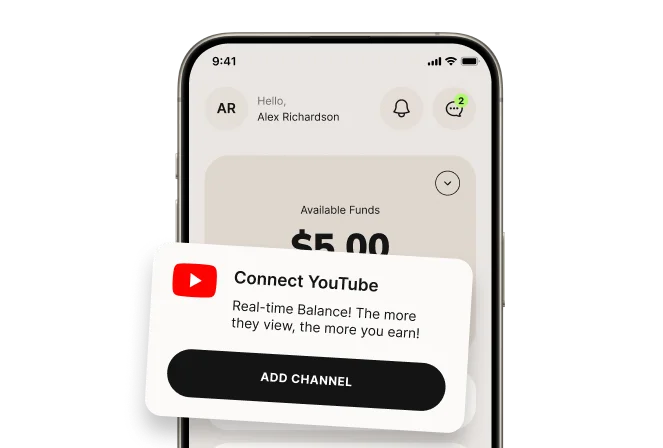
With MilX, your YouTube revenue reaches your MilX balance every day from the day you connect. Advance Funds lets you take what you've already earned up to 2 months early for a one-time 4.3%, and you can withdraw any day in 70 currencies.
See how Advance Funds works →