


Views decline as the algorithm shifts older videos out of active recommendation inventory and competition fills the placements they used to hold. Earnings decline faster than views as the audience composition broadens beyond the core market, engagement signals weaken, and the video's monetization structure falls behind platform updates. Stale metadata and outdated ad placements compound the damage in the background.
In this article, we break down why each of these forces happens, and share 7 tactics to revive underperforming evergreen videos based on what moves the numbers across our data.
The Passive Income YouTube Myth
"Upload once, get paid forever." That is the pitch every YouTube growth coach loves to repeat. The reality is messier.
Evergreen YouTube videos do keep working. They keep collecting views, subscribers, and clicks for years. What they do not always keep is the same RPM, the same audience quality, or the same advertiser interest.
Long-tail income exists. But every video has a financial half-life, and most creators only notice it when the number in YouTube Studio stops matching their expectations.
A more useful mental model: treat each video like a depreciating asset. It pays well in year one, fairly in year two, and less every quarter after that unless something changes the equation.
👉 Learn more about passive income from the evergreen content.

7 Reasons Evergreen Videos Stop Earning and How to Fix Each One
We went through the data from over 5,000 channels to understand why evergreen YouTube videos see an earnings drop over time. Here is what we found and what works to fix it.
1: YouTube Algorithm Lifespan: How the Platform Ages Your Content
YouTube's recommendation system does not truly forget your videos. It gradually shifts them down the priority stack.
The YouTube algorithm lifespan for a typical video looks like this: an initial 7 to 14-day surge, a stable 30 to 90-day plateau, and then a long tail that depends on watch time signals and topical relevance.
Around months 18 to 24, something subtle happens. The algorithm starts treating the video as a background catalog, not an active inventory. It pulls from older videos for fillers, suggestions, and "more from this channel" rails. The views stay decent. The premium placements disappear.
Older content also competes against your newer content. If you publish a similar video in 2025, the algorithm often silently cannibalizes the 2022 version's distribution. Same channel, fresh upload wins the high-CPM placements.
⭐ Tip: If you have a winning evergreen topic, refresh it every 18 months instead of letting it slowly decay. New thumbnail, updated stats, fresh hook, fresh upload. Republished content often regains 60 to 80% of its original RPM in our community surveys.
How to Move an Old Video Out of the Background Catalog
Confirm catalog mode first before making any changes. The three signals below together are the diagnosis. If only one is present, hold off and keep monitoring.
- Confirm catalog mode: Browse Features above 50%, Search traffic declining, impressions stable, but CTR falling. This combination is the clearest indicator that the video has been deprioritized.
- Change the thumbnail. Study the top 10 current results for the video's main keyword: note color contrast, expression, and text overlay conventions that are working in 2025–2026. Your new thumbnail needs to compete with those, not with what worked in 2022. Evaluate CTR specifically after 14–21 days before drawing conclusions.
- Update the title and description with a meaningful revision that reflects high-performing keywords in your niche currently. This triggers a re-indexing event that can pull the video back into active recommendation consideration.
- Replace the weakest 20–30% of existing tags with current high and medium-frequency terms identified through a tool like VidIQ. Do not delete the full tag set, as the video has a distribution history built around it.
- Add end screen cards pointing to your newest related video to create a session-depth signal that benefits both videos.
- If the content is substantially outdated, evaluate whether a full refresh upload (new recording, new metadata, new thumbnail) is worth the production cost. Refreshed uploads on strong evergreen topics regularly recapture 60 to 80% of the original RPM.
2: Monetization Structure Shifts
YouTube's monetization rules change. What worked in 2022 may not work the same way in 2026.
Mid-roll ad placement standards have been updated multiple times. YouTube has nudged its advertiser-friendly guidelines.
Shorts monetization rolled out and reshaped RPM math across channels.
New ad formats, including non-skippable bumpers, shopping ads, and Premium subscriber payouts, adjust how a video earns over time.
Older videos sometimes do not qualify for new formats unless re-edited. A 2022 long-form upload might have only one mid-roll, whereas a 2026 version of the same video could carry four mid-rolls and a shopping placement.
⭐ Tip: Audit your top 20 evergreen videos every six months. Check if mid-roll markers sit in current best-practice spots. A 5-minute repositioning of ad breaks can lift RPM by 10 to 25% on older content.
How to Update the Monetization Structure of Older Videos
This is the highest-return, lowest-effort category of fixes. None of it requires new productionб only access to the video editor and Monetization settings.
- In YouTube Studio → Content, filter by videos over 8 minutes and sort by views. For each of your top 20, check how many mid-roll markers exist and whether they are manually or auto-placed.
- Move auto-placed mid-rolls to manually chosen positions at natural attention breaks: topic transitions, pauses between steps, moments just after a question is posed. Never place a break mid-sentence.
- Verify which ad formats are enabled on each video. For uploads over 3 years old, check whether bumper ads, non-skippable ads, and shopping ads are active these are often not toggled on by default for older content.
- Check advertiser-friendliness status for any video with underperforming RPM despite healthy views. A yellow dollar sign in Studio is revenue suppression. Review against current advertiser-friendly guidelines and make the moves to restore full monetization
- For videos where content cannot be updated without re-recording, prioritize the mid-roll repositioning and ad format audit first. These require no new production and can recover meaningful revenue immediately.
3: RPM Decay: The Killer of Old Videos
RPM is what hits your bank account per 1,000 views. CPM is what advertisers pay, and the gap between CPM and RPM comes from YouTube's share and the views that show no ad. The gap between the two is where most YouTube earnings drop happens for older content.
👉 Discover more about the YouTube CPM & RPM Rates 2026.
Three forces drive YouTube RPM decline as a video ages.
First, audience drift. New viewers come from international recommendations rather than your original premium markets. A video that started with 70% U.S. traffic might be 30% U.S. by year three. Tier-1 RPM is often four to six times higher than Tier-3 RPM, so the math changes fast.
Second, ad slot quality drops. YouTube prioritizes fresh content for high-bid auctions. Older videos increasingly fill remnant inventory, the cheaper ads that did not sell at premium rates. Same view, lower bid.
Third, viewer behavior shifts. Repeat viewers skip ads faster, use ad blockers more, or watch on muted backgrounds. CTR on ads in three-year-old videos can be 20 to 40% lower than on fresh uploads, even with the same content.
⭐ Practical tip: Pull your top 10 oldest videos in YouTube Analytics. Compare their last 28-day RPM to their lifetime RPM. If you see a 25% or larger drop, that is revenue decay in motion.
How to Address RPM Decay on an Older Video
Start with the data before touching anything. Open the Revenue tab, then cross-reference Geography and Traffic Sources to understand which of the three forces is most active on that specific video.
- Open YouTube Analytics → Content → select the video → Revenue tab. Note the RPM for the last 28 days vs. the lifetime RPM. Flag any video with a 25%+ gap.
- Open the Geography tab for the same video. Note whether Tier-1 market share (US, UK, Canada, Australia) has declined since the first 90 days of the video's life.
- Go to the video editor and check whether mid-roll markers are manually placed or auto-placed. Manually repositioning breaks at natural attention dips (every 2 to 3 minutes in long-form content) can recover 10 to 25% of RPM without changing a single frame. YouTube will not play the ad every 2 minutes. It will just have more options for choosing which ad to run, giving you more ad money.
- Verify which ad formats are currently enabled on the video. Older uploads may not have bumper ads, non-skippable ads, or shopping ads active by default. Check Monetization settings for that specific video.
- Note whether the title and description have ever been updated since upload. If not, that is the next priority. A metadata update triggers re-indexing and opens the door to higher-bid ad auctions.
Cash Flow Without the Calendar Trap
Stop letting YouTube's payout schedule dictate your month. With MilX, creators cash out across 40+ currencies through 10+ methods, including crypto, PayPal, bank card, and PIX. Withdrawals land in under 5 minutes. Try MilX and put your income on your terms.
4: Audience Aging and Intent Shift
Your year-one audience and your year-three audience are not the same people. Even when the view count looks identical, the intent behind those views changes.
- Year one: targeted searchers, hot-topic browsers, subscriber notifications. High intent. Long watch time. Better ad engagement.
- Year three: people who clicked because YouTube force-fed them a thumbnail in the middle of an autoplay queue. Low intent. Shorter sessions. Worse ad performance.
Take a "How to fix slow Wi-Fi" video published in 2022. Year one, it gets clicks from people troubleshooting at 11 PM. In year three, it shows up as filler between unrelated videos. The view registers. The behavior is completely different.
This shows up in retention, click-through on cards, and most importantly, in skippable ad completion rate. Each metric drop pulls RPM down with it.
⭐ Tip: Open the "Audience" tab of any older video. If your traffic source from "Browse features" jumped from 25% to 60% over time, you have intent decay even when raw views look fine.
How to Counter Audience Shift on Evergreen Videos
The Browse Features percentage is the first number to check. Everything else in this list follows from what you find there.
- Go to Traffic Sources for the video. If Browse Features now exceeds 50% of traffic (up from 25% or less at launch), the algorithm has moved the video into passive rotation.
- Check Average View Duration as a percentage of total video length. A declining percentage alongside stable views confirms that lower-intent viewers are exiting early and suppressing engagement signals.
- Review the Search keywords listed in Traffic Sources. If the queries no longer match the video's actual focus, the video is being served to audiences whose intent does not match the content.
- Update the title to be more specific about who the video is for and what problem it solves. A sharper title attracts higher-intent clicks and filters out passive autoplay traffic.
- Add or update chapter markers. Chapters improve retention in the second half of the video (where most mid-rolls sit) and give higher-intent viewers a reason to stay.
- Pin a comment linking to your newest related video. This routes session traffic toward content with stronger current signals and signals to YouTube that your catalog is interconnected.
5: Ad Inventory YouTube: How Demand Shifts Under You
YouTube refers to the pool of ads available to run against your content. That pool is not fixed.
Advertisers rotate campaigns. A finance brand that pumped budget into your investing video in 2023 may have left the platform by 2026. New advertisers in your niche bid less aggressively. The auction price for your specific keyword drops.
Some niches feel this harder than others. Crypto saw a sharp drop in ad demand between 2022 and 2024. Insurance, on the other hand, stayed strong. If your channel sits in a niche tied to a hype cycle, your evergreen video earns like a hype cycle: up fast, down hard.
There is also the seasonal factor. November RPM in most niches is 1.8 to 2.4 times higher than February RPM. A video performing well in February could be silently underearning by 50% compared to its peak window.
⭐ Tip: Track quarterly RPM for your top videos in a spreadsheet. If Q1 used to be 70% of Q4 and now it is 45%, your inventory pool is shrinking, not just the season hitting.
How to Respond to Shifting Ad Demand on Older Videos
Build the quarterly tracker first. Without it, you cannot separate advertiser pullback from seasonal variation, and those two problems look identical on the dashboard.
- Build a quarterly RPM tracker in a spreadsheet. For each of your top 10 evergreen videos, log RPM for Q1, Q2, Q3, and Q4 each year. A shrinking Q1-to-Q4 ratio year over year signals advertiser pullback, not just a seasonal dip.
- Identify whether your niche is tied to a hype or spending cycle. If yes, treat RPM volatility as a baseline assumption and deprioritize those videos in any income forecast.
- Time any video refresh or re-upload for September or October to catch the peak Q4 ad spend. A refresh released in February captures the weakest CPM window of the year.
- For videos in niches where advertiser demand has permanently softened, shift monetization priority away from AdSense toward affiliate links, digital products, and memberships. These pay the same rate on a year-three view as a year-one view.
- Check every affiliate link in the description of your top evergreen videos. Dead links cost you revenue on every view and signal low quality to new viewers. Fix them before anything else.

6: Competition Compounds Over Time
Your video does not decay in isolation. The competitive set around it gets denser every year.
In 2022, your "Best beginner cameras" video might have been one of 50 quality results. By 2026, there will be 500. Better thumbnails, longer watch times, and more recent data. YouTube has more options to recommend, so your share shrinks.
This is one of the biggest reasons why YouTube revenue drops on old videos, even when the views look stable. The views are stable because YouTube finds enough impressions to fill. The quality of those impressions is dropping because the platform has cheaper, fresher options elsewhere.
⭐ Tip: Run a "competitor age check" once a year. Search your old video's main keyword. Note the publish dates of the top 10 results. If most are under 12 months old and yours is two years old, you are in a slow squeeze.
How to Respond to Competition With Old Videos
Run the competitor age check before deciding how to respond. The gap between your publish date and theirs tells you how much ground you need to recover, and whether optimization or a new upload is the right call.
- Search the video's main keyword and record the publish dates of the top 10 results. If the majority are under 12 months old and outranking your video, competition is the active cause.
- Analyze the top-ranking competitors beyond publish date: are their thumbnails stronger, their titles more specific, their video length significantly different? Each concrete gap is something to address in a refresh, specific differences that explain why YouTube is choosing them over you.
- Check which keywords the competing videos rank for using VidIQ. If they are capturing search volume on terms your video does not target, add those terms to your title, description, and tags.
- Use your own high-performing newer videos to send traffic to the older one via end screen cards and pinned comments. A view arriving from an internal card within a high-retention session carries more algorithmic weight than a browse impression.
- If the competitive gap is too large to close through optimization, plan a new upload on the same topic. The new video enters as fresh inventory and can link back to the old one, preserving whatever audience signals the original has built.

7: Seasonality and Market Cycles
Ad budgets are not constant. They follow B2C and B2B calendar cycles that hit YouTube directly.
- Q4 is the cash season. Brands push holiday campaigns from October through December.
- Q1 is the cliff. Many ad budgets are reset, frozen, or cut. February is typically the weakest month of the calendar year for most niches.
Now layer this on top of decay. A 3-year-old video with weak February numbers is not necessarily failing. It might be hitting Q1 plus revenue decay at the same time. Misreading this signal is one of the most common YouTube creator mistakes.
⭐ Tip: Build a 12-month RPM baseline before making panic decisions about your channel. One bad month means nothing. Six bad months across all evergreen content means it is time to act.
How to Read Seasonality for Evergreen Videos
The key is year-over-year comparison on the same video, same month. One data point is noise. Three years of the same month is a pattern.
- Before concluding a video is in terminal decline, compare what it earned this month to what it earned in the same month one and two years ago. A February drop that matches previous Februaries is seasonality. A February drop that is steeper than previous Februaries is decay compounding on top of a seasonal floor.
- Build a 12-month RPM log for your top 5 to 10 evergreen videos - one entry per month is enough. The full-year pattern separates structural decay from seasonal cycles.
- Schedule re-optimization work for August or early September so the refreshed video is indexed and accumulating signals before Q4 ad spend peaks.
- If multiple videos across different niches are declining simultaneously and the decline aligns with Q1, hold off on major optimization decisions for four to six weeks. Let Q2 data arrive before treating a seasonal valley as a structural problem.
Get Paid Before the Decay Hits
Old views should not decide what this month looks like. With MilX Active Funds, creators can receive up to 6 months of future YouTube income upfront. No credit checks, zero impact on your credit score. Plan against decay, not around it. Try the MilX free app now and check eligibility in two minutes.
Case Example: Same Views, Less Money
A composite example built from creator-reported patterns we have seen across MilX partners.
Channel: 600K-subscriber tech review channel.
Video: "Best Budget Laptop Under $700" published in 2022.
Year one performance:
- Views: 1.2M;
- RPM: $5.80;
- Revenue: about $6,960;
Year three performance, same calendar window:
- Views: 1.05M (only a 12% 🔻 drop);
- RPM: $4.40 (24% 🔻 drop);
- Revenue: about $4,620 (34% 🔻 drop);
Same video. Almost the same view count. Less than a third of the income.
Where the money went:
- Audience moved from 58% U.S. to 31% U.S.;
- Three new competing reviews ranked above the video for half the year;
- Mid-roll ad fill rate dropped from 92% to 71%;
- Q1 hit the channel right when the audience drifted.
None of these signals showed up clearly in the dashboard. They become visible only when you compare RPM trends side by side over multiple quarters.
7 Moves to Fix Declining Evergreen Revenue
You cannot stop revenue decay. You can absolutely fight it. Here is what works in practice.
#1: Refresh Your Top Performers
Take your top 5 evergreen videos. Re-record the intro, redo the thumbnail, update any year-specific references, and republish as a new upload.
New videos enter the algorithm as fresh inventory and often inherit the audience signals of the original.
2: Update Mid-Roll Placements
YouTube auto-places mid-rolls, but creators get higher RPMs when they manually place breaks at natural attention dips.
Aim for a break every 3 to 5 minutes in long-form content, never in the middle of a sentence.
3: Cross-Link Your Library
Pin a comment on old, high-traffic videos that links to your newest related upload. This shifts long-tail traffic to videos with higher current RPM.
Bonus: your new video gets a session boost from existing high-retention viewers.
4: Add Chapters And Updated Cards
Chapters help maintain higher retention in the second half of a video, which is where most mid-rolls live. Updated end-screen cards push viewers to fresh content, earning at fresh-content RPMs.
5: Diversify Revenue Beyond AdSense
Memberships, sponsorships, affiliate links, and digital products earn the same on a year-three view as a year-one view. AdSense does not.
The longer your library lives, the more important non-AdSense revenue becomes.
6: Time Your Refresh Cycle On the Calendar
Republish refreshed videos in September or October to catch Q4 ad spend. A refresh dropped in February captures the worst window of the year.
7: Watch Revenue Per Active Viewer, Not Gross Views
This number tells you what is really happening to your YouTube monetization over time. Two videos with identical views can pay 3x differently. The RPM tab tells the truth.
A Smarter Way to Plan Around Decay: MilX Active Funds
If your evergreen catalog is slowly losing RPM, betting on AdSense to recover next quarter is a fragile plan. A better one: use what you can already see in your future numbers.
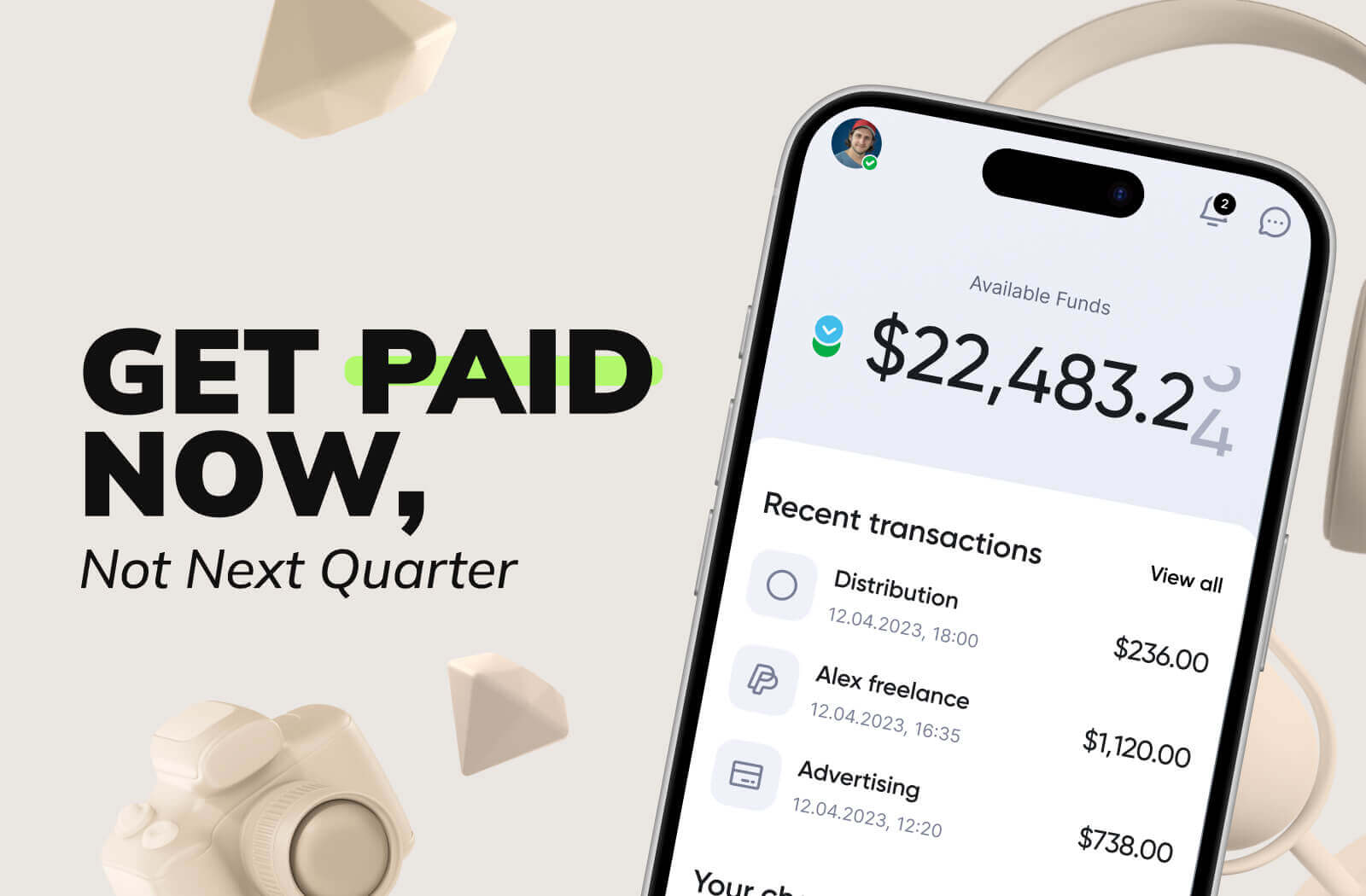
MilX Active Funds gives qualified YouTube creators access to up to 6 months of future AdSense revenue upfront. Repayment is automatic at 5% monthly from incoming revenue, so there is nothing to track or chase.
Daily commission starts at 0.33%. That is it. No setup fees, no monthly subscription, no surprise charges baked into withdrawals.
Why this matters when revenue decay is hitting your library:
- Fund a refresh cycle on your top videos without waiting for the next AdSense payment.
- Take on a sponsored series before the brand's Net-60 invoice clears.
- Move money instantly between collaborators without losing 2 to 5% to wire fees.
- Cash out in the currency that fits where you live, across 40+ supported currencies.
Over 5,000+ creators use MilX.
Withdrawal options cover bank card, bank transfer, PayPal, Payoneer, BTC, USDT, USDC, PIX, Zelle, and GIM.
P2P transfers between MilX users are free, and funds arrive in under 5 minutes.
👉 Try MilX and see if your channel qualifies for Active Funds.