

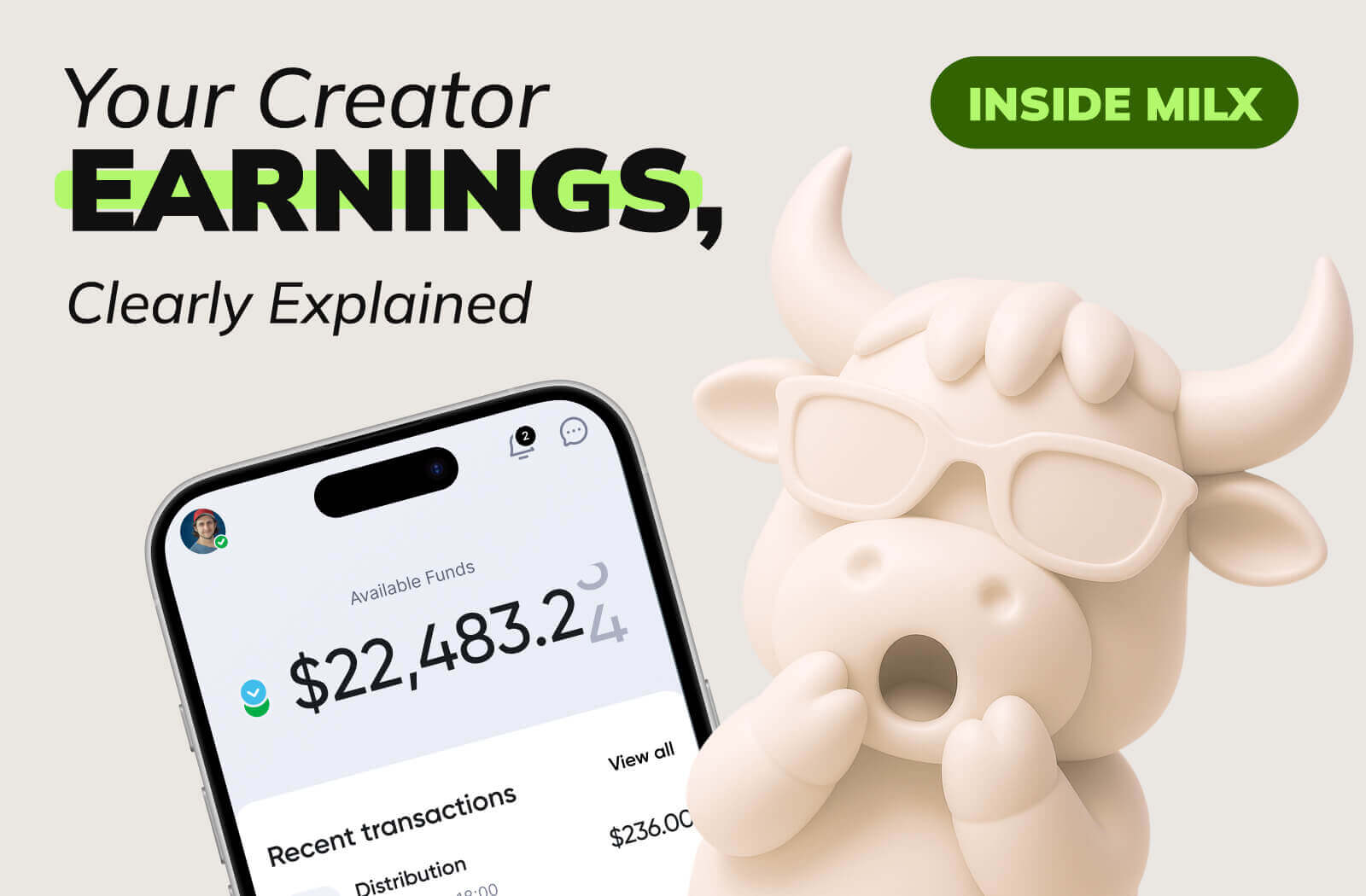
This guide shows how it works and what it looks like inside the app.
The MilX App: How to Start?
Getting started with MilX is quick, easy, and creator‑friendly. Here’s a simple step‑by‑step to take you from “zero” to “dashboard ready.”
Download the MilX App
👉 Go to the:
Look for “MilX: Finance hub for bloggers/creators”.
The app is free and installs in seconds.
Connect Your YouTube Channel to MilX
Connecting your YouTube channel to MilX is a straightforward process designed to help you access funds quickly and unlock additional income. Follow this step-by-step guide to get started.
1: Account Setup & Verification
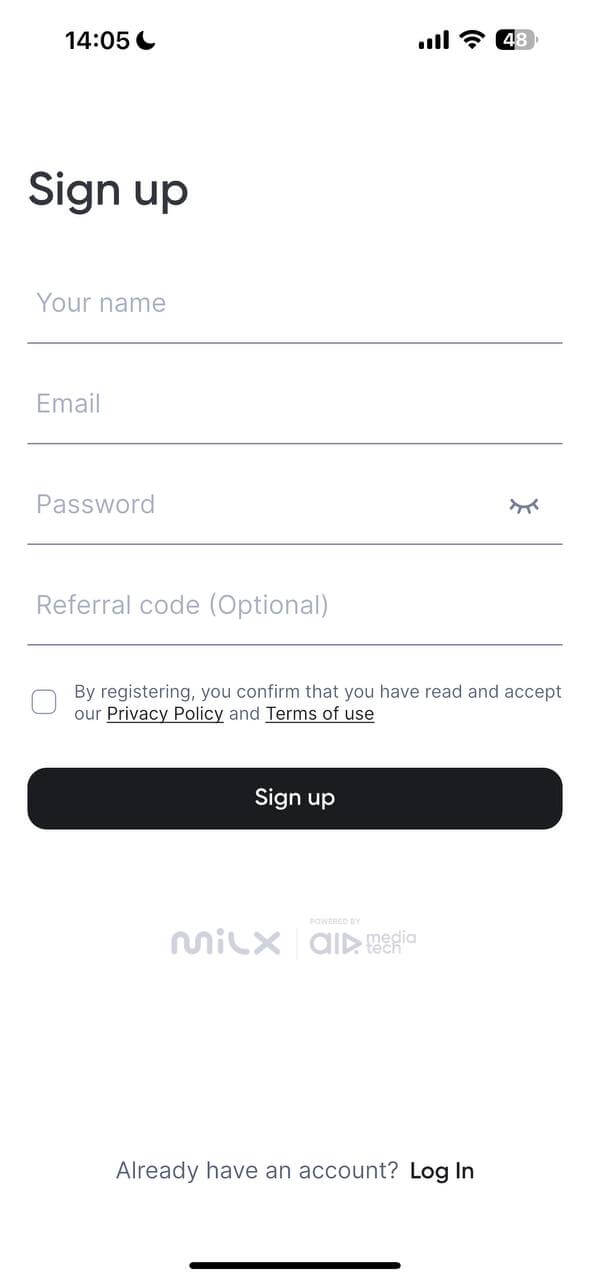
Register your account: Enter your name, email, and password on the Sign-up screen.
Verify your email: After signing up, check your inbox for a confirmation email from MilX. Click the "Confirm Your Email" button to activate your account.
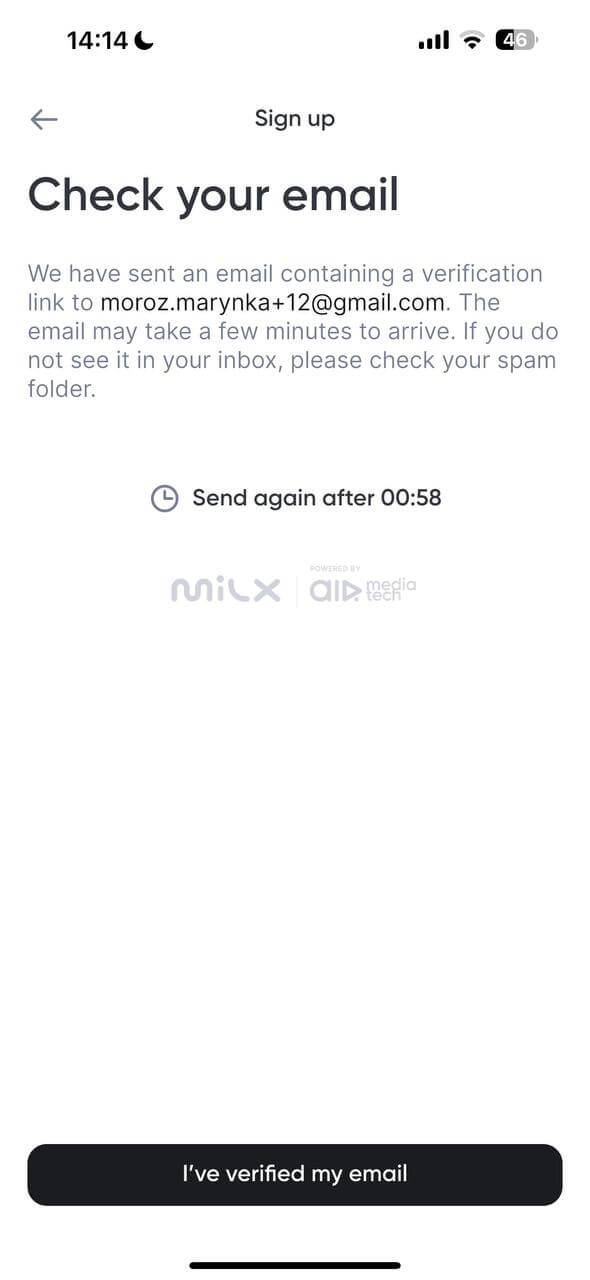
(Notes: Please check your Promotions and Spam folders if you don’t see the email in your main inbox.)
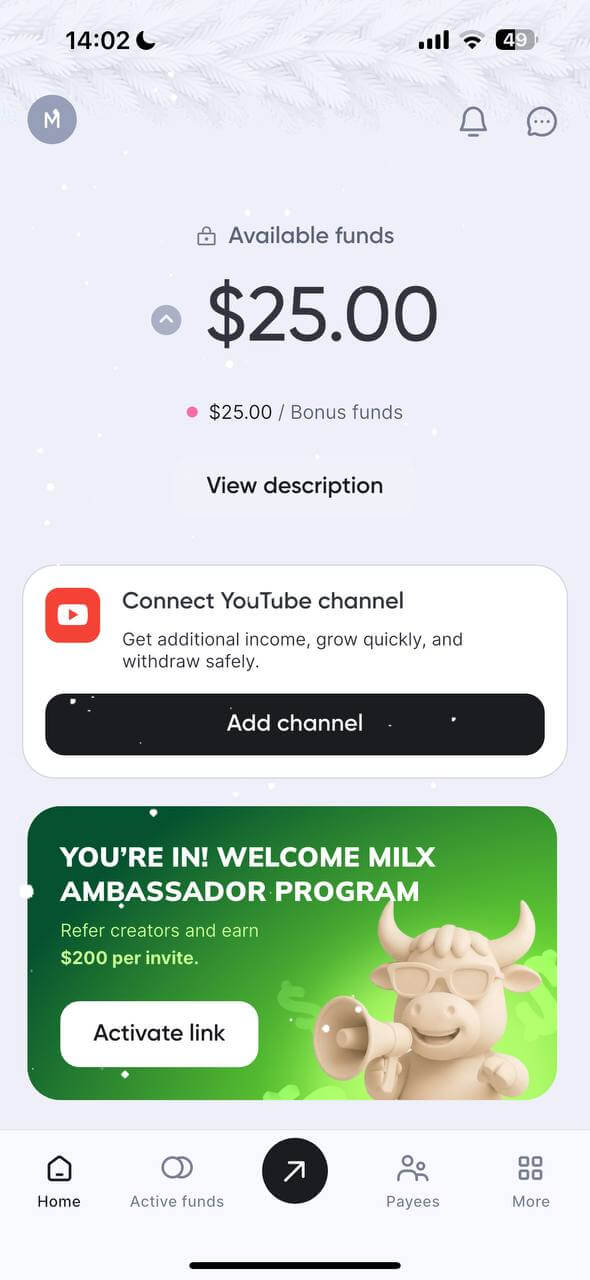
Access the Dashboard: Once verified, log in to your dashboard. You will see a prompt to "Connect YouTube channel"; click "Add channel" to begin the flow.
Review benefits: A screen will outline the benefits of connecting, such as instant fund access, safe withdrawals (including Crypto), and protection from theft. Click "Let’s connect" to proceed.
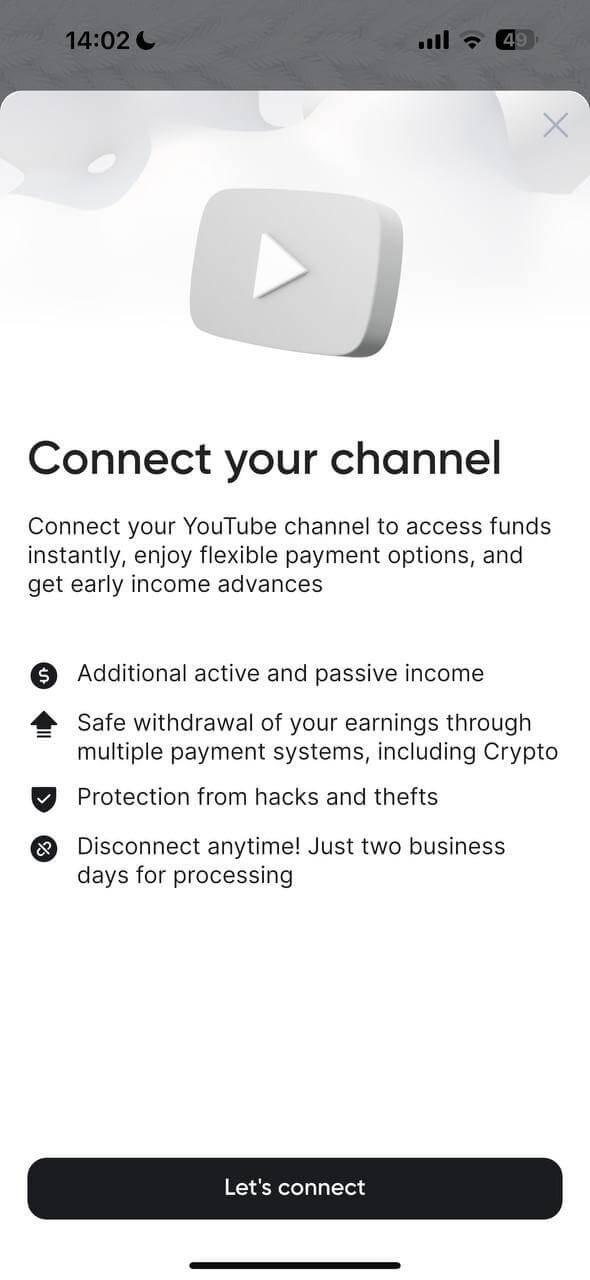
The 4-Step Connection Flow
MilX uses a four-step process to link your channel.
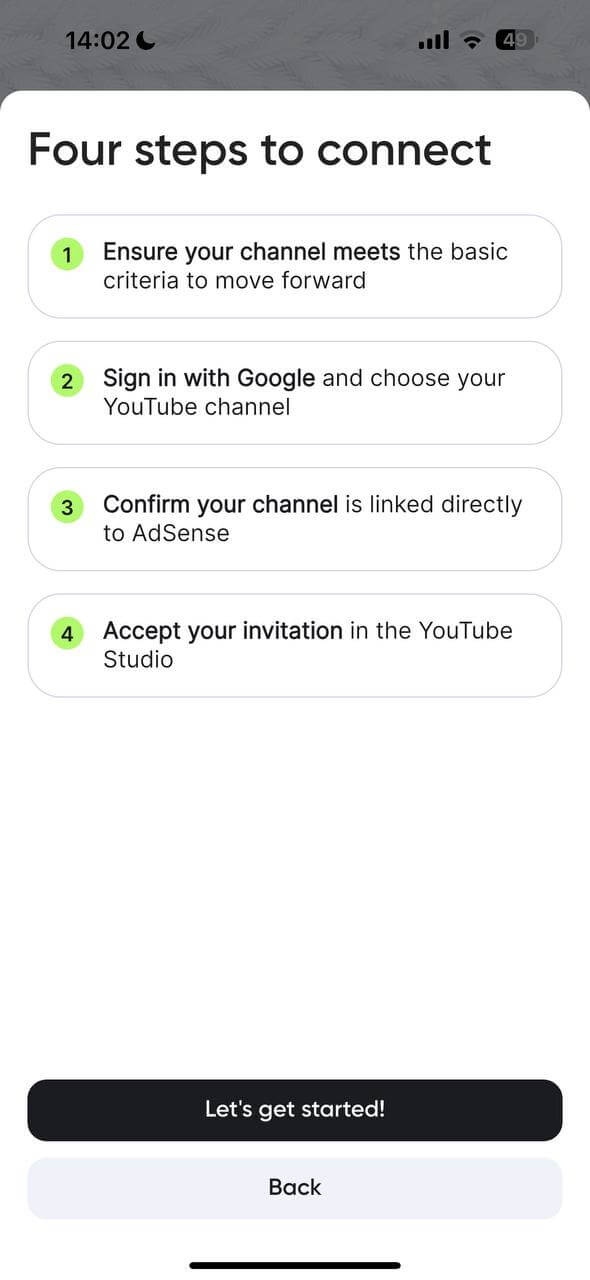
Step 1: Check Channel Criteria
Ensure your channel meets the following basic requirements:
- 1,500+ subscribers.
- 5,000+ hours of watch time in the past 12 months.
- No active YouTube policy violations.
- Click "Yes, I’m ready" if you meet these criteria.
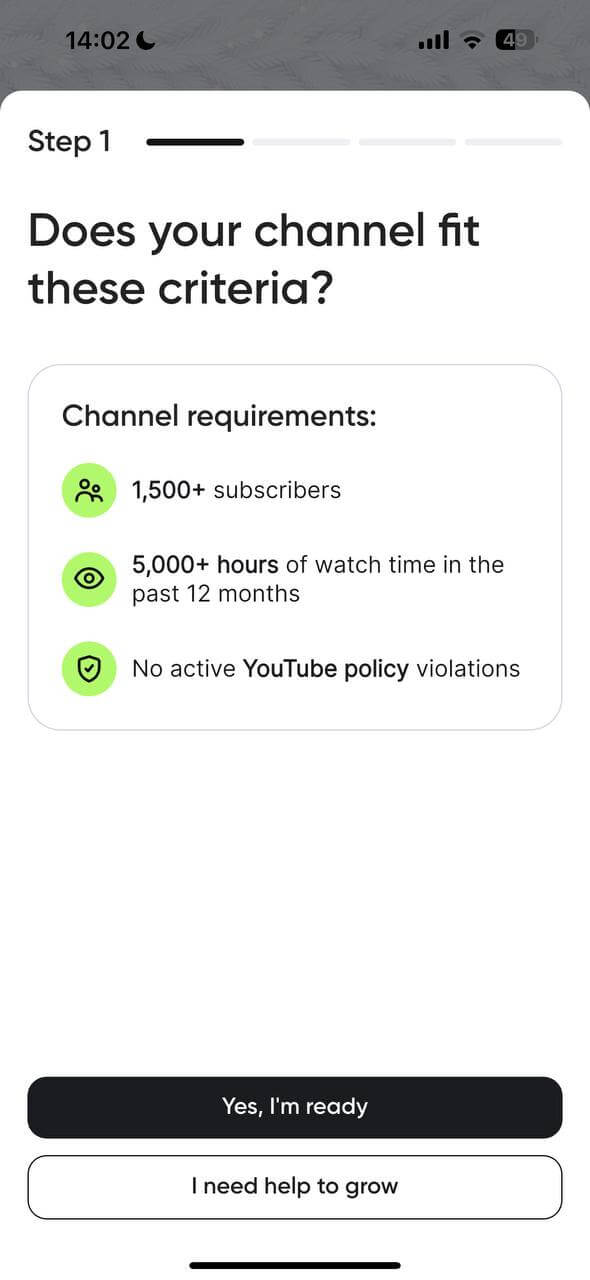
Step 2: Sign in with Google
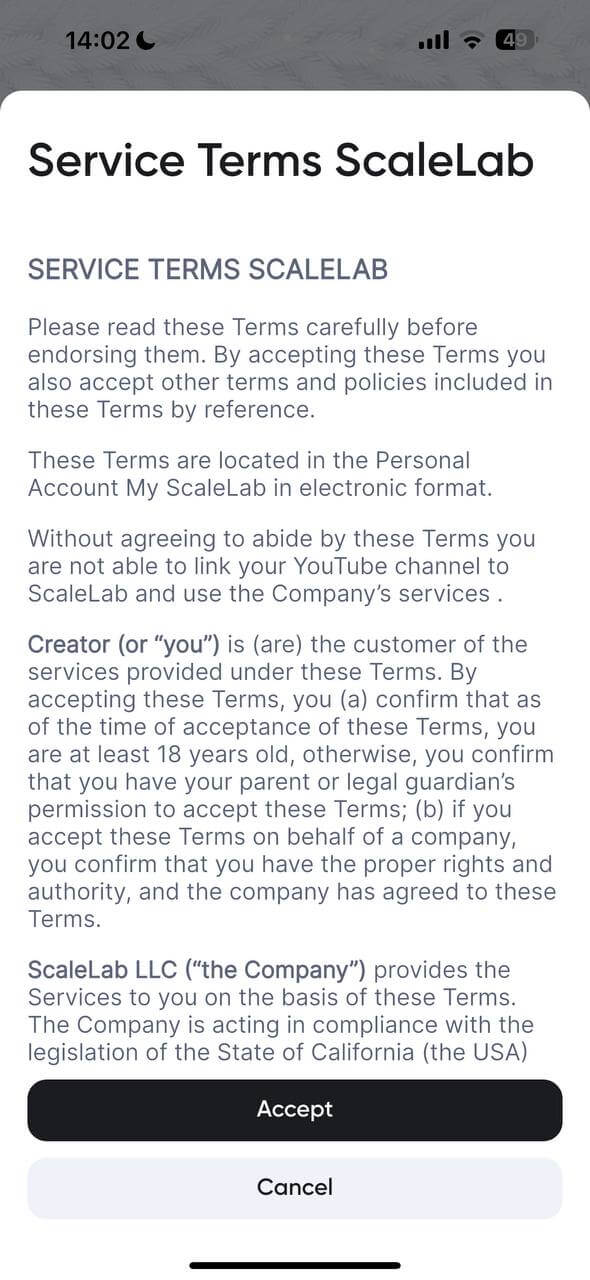
Accept terms: Read and click "Accept" on the ScaleLab Service Terms to link your channel to their network services.
Click "Sign in with Google" and select the specific YouTube channel you wish to connect.
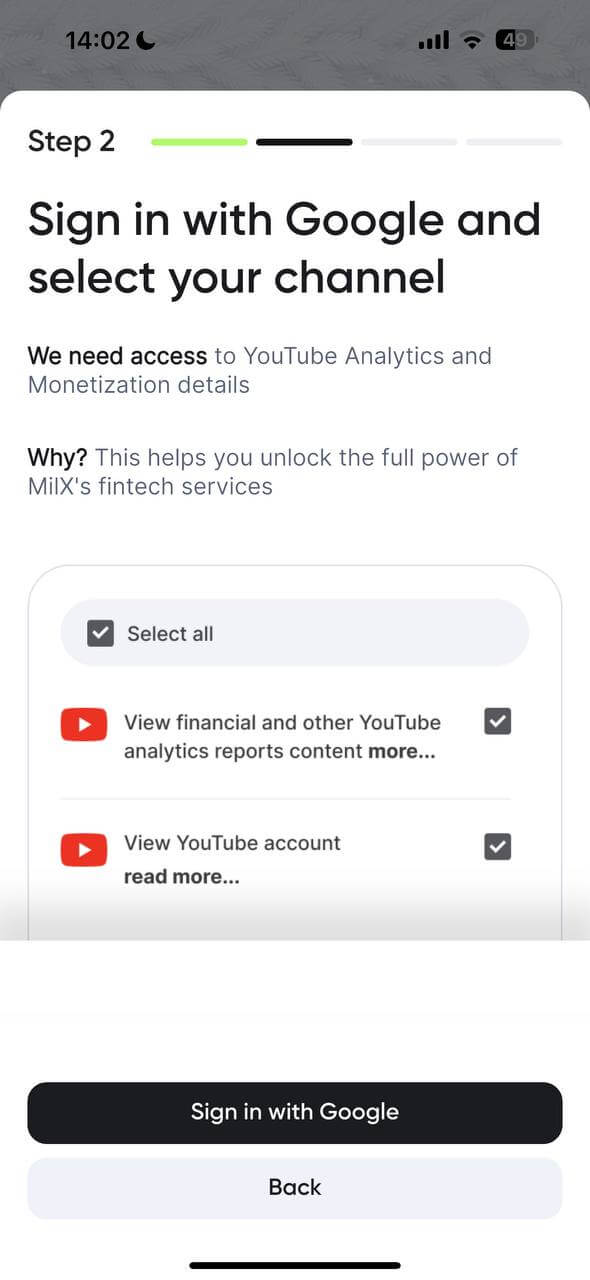
Grant permissions: You must allow MilX to view your YouTube Analytics and monetization details so they can provide fintech services.
Step 3: Confirm AdSense
Confirm that your YouTube channel is directly linked to an active AdSense account.
Step 4: Accept the Invitation in YouTube Studio
The final step requires you to go to your YouTube Studio dashboard (on the web) and formally accept the invitation to join the network.
Once these steps are complete, your channel will be connected, and you can begin managing your funds through MiLX.
Safety Review & Quality Check
After you complete the connection steps, your channel enters a final review phase:
- Safety team verification: The MilX Safety team will conduct a thorough check of your channel to ensure it aligns with all current YouTube policies.
- Official YouTube partner standards: As an official YouTube Partner, MilX is committed to maintaining a network of high-quality content.
- Policy compliance: MilX only works with channels that strictly adhere to YouTube's rules and regulations. Channels that violate these policies or do not meet quality standards cannot be supported.
Claim Your $25 Welcome Bonus
Once your channel is successfully connected and passes the safety review, you’re ready to celebrate!
- Unlock your reward: After your channel is verified as a high-quality partner, a $25 Welcome Bonus will be unlocked and added to your MilX balance.
- Access your funds: You can then use this bonus along with your YouTube earnings for instant withdrawals, reinvesting in your channel, or paying your team.
This guide continues from your successful channel connection. Once your channel is verified and the safety check is complete, you unlock the full power of the MilX Banking App, a premium financial hub tailored for high-growth YouTube creators.
The MilX Banking App Tour
Once you are inside the app, you will have access to a suite of professional banking tools designed to help you manage and grow your YouTube revenue.
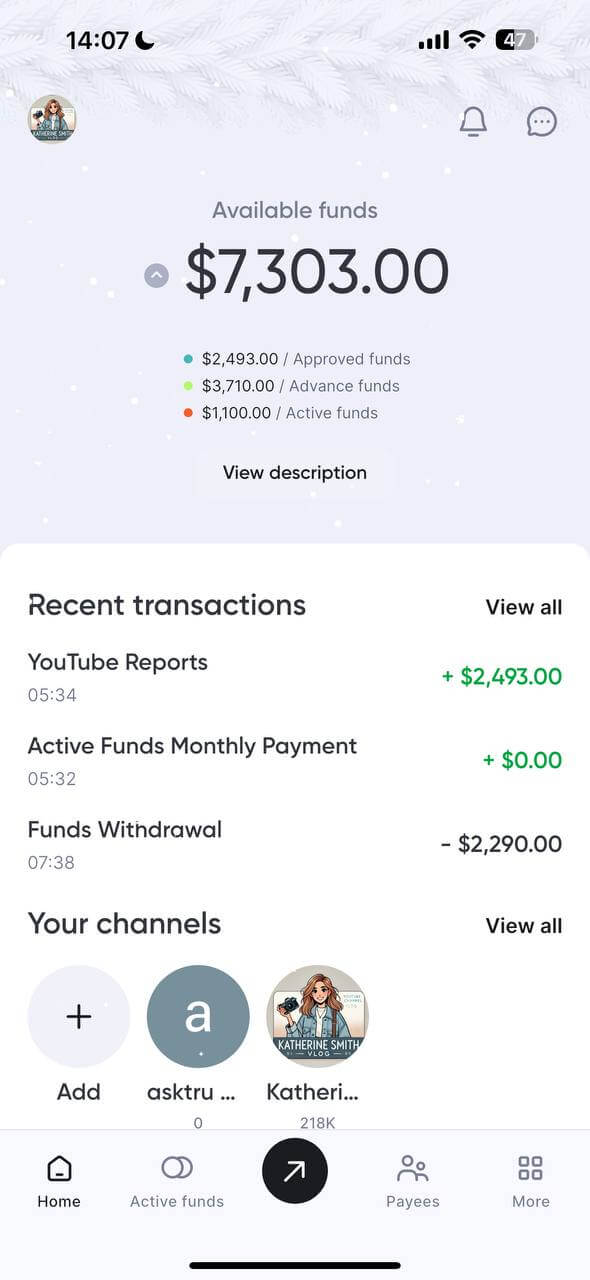
- Your Central Dashboard (The Wallet)
- Real-time balance: View your total available balance, including your $25 Welcome Bonus and daily accumulated YouTube earnings.
- Daily updates: Unlike the standard monthly AdSense cycle, MiLX updates your balance daily, so you always know exactly what you’ve earned.
- Quick actions: Use the main screen to quickly "Send," "Withdraw," or "Exchange" your funds.
2. "Active Funds" – Get Paid in Advance
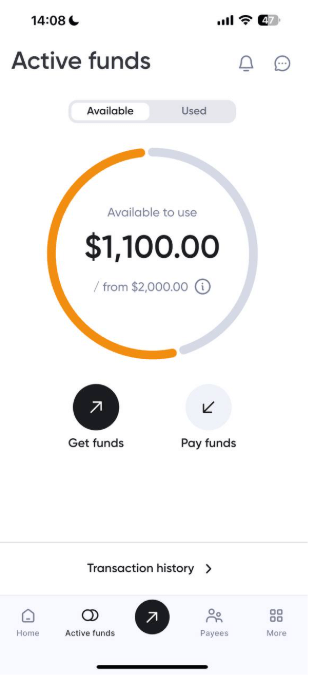
- Skip the wait: Access up to 6 months of your future YouTube revenue upfront.
- Invest in growth: Use these funds to buy new gear, hire editors, or launch ad campaigns without waiting for the next Google payday.
- Custom offers: Based on your channel’s performance, MilX generates personalized funding offers that scale with your channel's growth.
3. Flexible Global Withdrawals
- Instant payouts: Transfer your money in under 5 minutes to your preferred account.
- 10+ methods: Choose how you want to be paid:
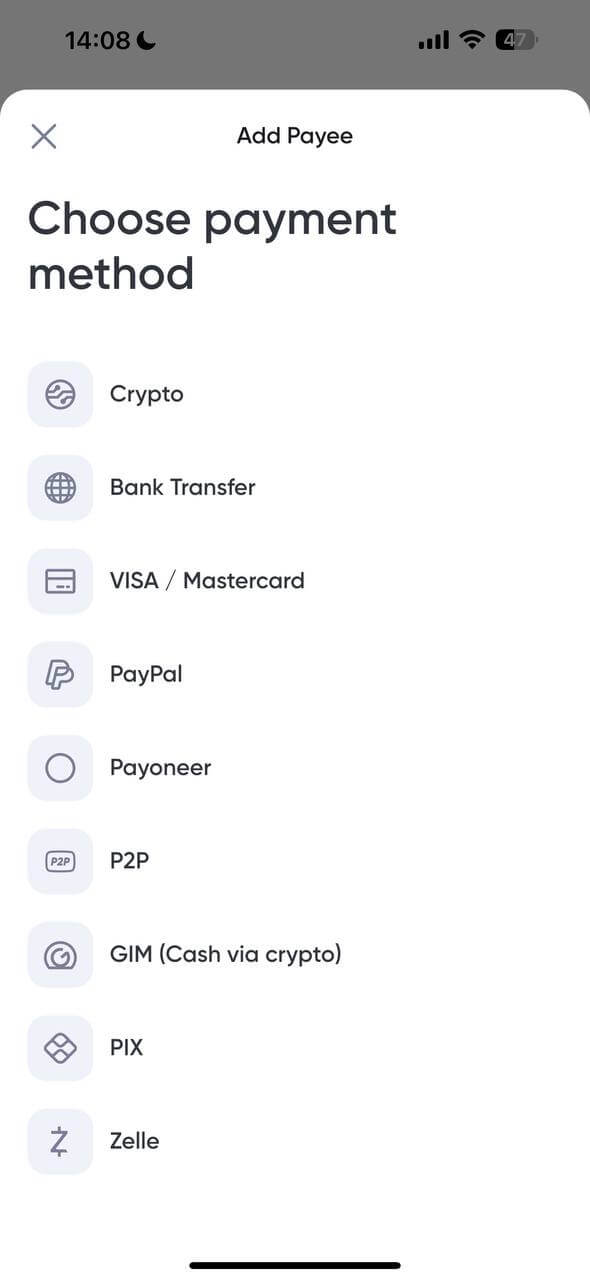
- Direct to card: Visa or Mastercard.
- Bank transfers: Local bank accounts in over 40 currencies.
- Crypto: Withdraw in USDT, USDC, or Bitcoin for maximum privacy and speed.
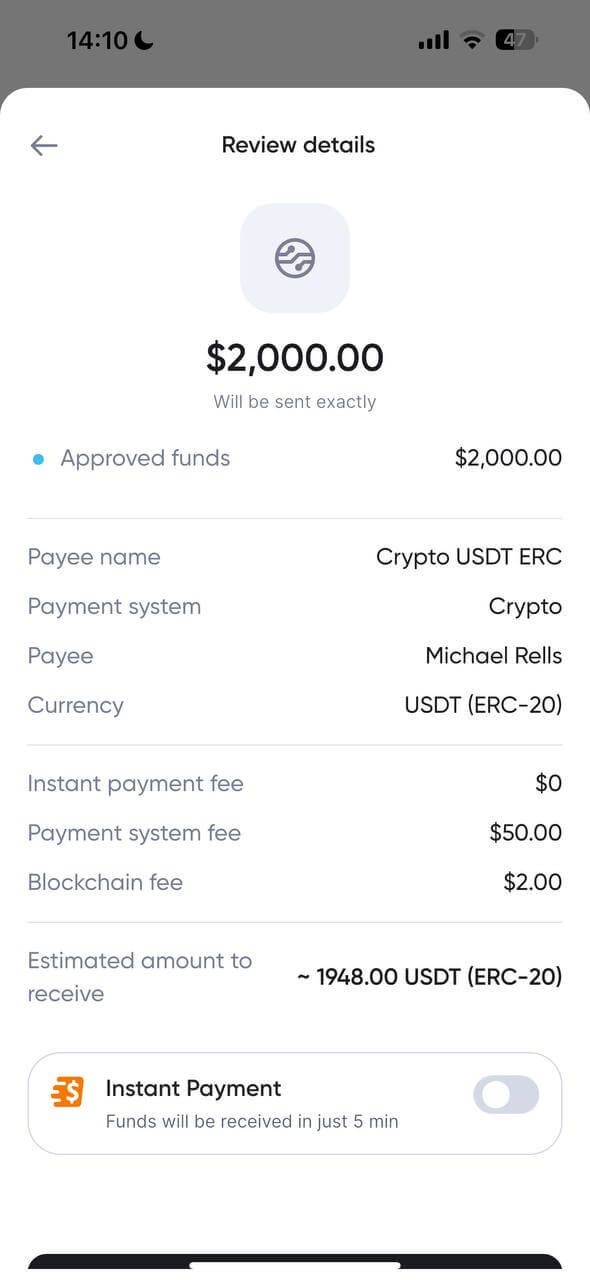
- E-Wallets: PayPal, Payoneer, Zelle, and more.
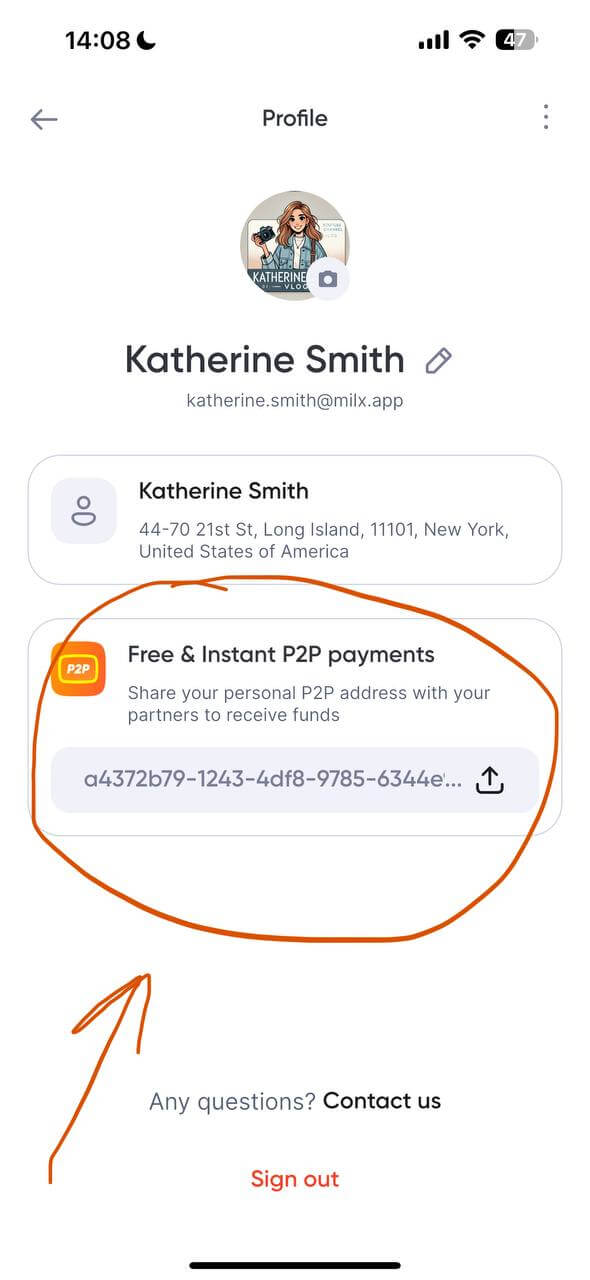
4. P2P & Team Payments (Zero Fees)
- Pay your team: Send money instantly to editors, designers, or co-creators who also use MiLX.
- No transaction fees: Internal peer-to-peer (P2P) transfers are completely free, making it the perfect tool for managing your production team’s payroll.
5. Advanced Analytics & Security
- Track performance: See detailed breakdowns of your income streams to plan your next big project.
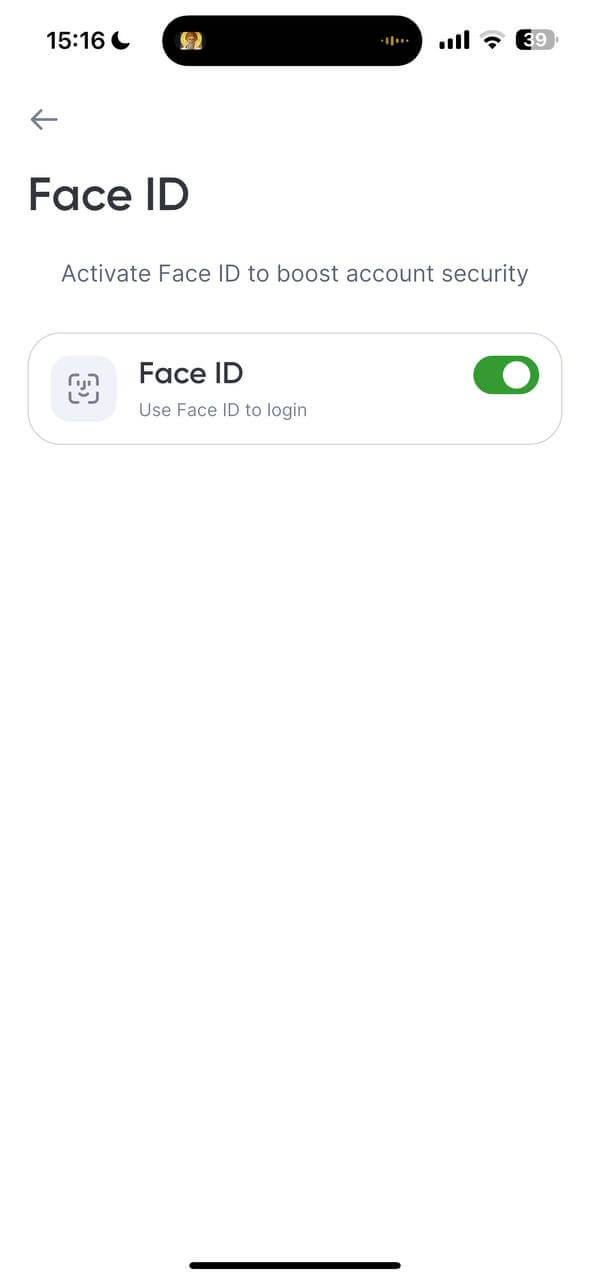
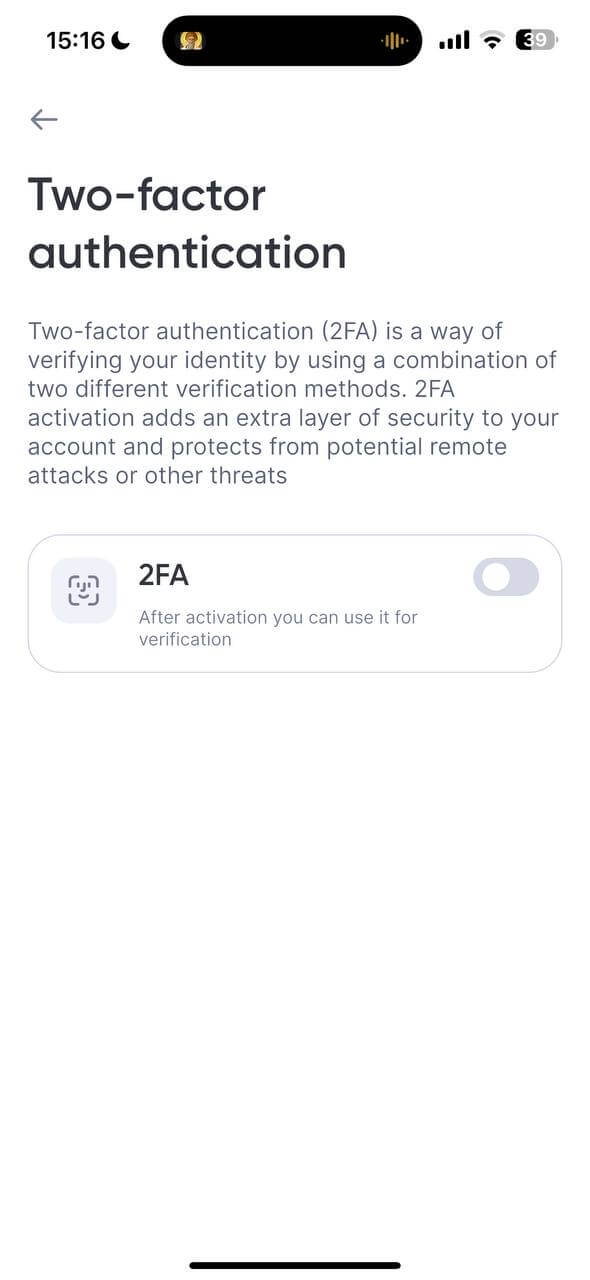
- Banking-grade security: Your funds are protected with FaceID/TouchID and Two-Factor Authentication (2FA) via Google Authenticator.
The MilX App: Get Paid Your Way, Not YouTube’s Way
YouTube pays once a month. MilX pays whenever you need.
With MilX, you control how and when you get paid. Whether you’re working with an international editor, launching a new series, or reinvesting in better gear, you shouldn’t have to wait for the 21st of the month.
👉 Learn more about popular YouTube payout options.
With MilX, you can choose the method that fits your cash flow:
- Visa / Mastercard. Instant access with just a 2.5% fee (min $3.5);
- Bank transfer. Flat $40 fee, no surprises;
- Payoneer. Only 1% (min $3), ideal for global creators;
- PayPal. 2%, withdraw from just $1;
- PIX & Zelle. Fast local transfers for Brazil and US creators;
- Crypto (USDT, BTC, USDC). From 0%, no platform adds hidden fees;
- P2P. Free instant transfers to other MilX users;
- GIM (cash via crypto). Withdraw USDT as local cash through verified agents.
|
Payment Method |
Minimum Withdrawal Amount |
Term |
|
Bitcoin (BTC) |
$50 |
0-1 business day |
|
Tether (USDT) |
$25 |
up to 5 business days |
|
Circle (USDC) |
$25 |
up to 5 business days |
|
Bank card |
$15 |
up to 5 business days |
|
Bank transfer |
$50 |
up to 5 business days |
|
PayPal |
$1 |
up to 5 business days |
|
Payoneer |
$10 |
up to 5 business days |
|
PIX |
$1 |
up to 5 business days |
|
GIM |
$15 |
up to 5 business days |
|
Zelle |
$25 |
up to 5 business days |
Most payout methods arrive within 5 business days, except Bitcoin, which often lands in just 0–1 day.
Timing depends on things like bank schedules or blockchain confirmations. Want it faster? Use Instant Payments to get your funds in under 5 minutes.
Also, keep in mind that each method has its own fees:
|
Payment method |
Fee/Commission |
|
Bitcoin (BTC) |
0% + blockchain commission |
|
Tether (USDT) |
2.5% + blockchain commission |
|
Circle (USDC) |
2.5% + blockchain commission |
|
Personal bank card |
2.5% (minimum $3.5) |
|
Corporate bank card |
5% (minimum $5) |
|
Bank transfer |
$40 flat fee (correspondent bank fees may also apply) |
|
PayPal |
2%, plus possible additional PayPal fees |
|
Payoneer |
1% (minimum $3) |
|
PIX |
2% |
|
GIM |
2.5% + blockchain commission, plus $5 for deposits under $300 |
|
Zelle |
2.5% |
MilX supports 40+ currencies and 10+ methods so that you can skip conversion losses, process payments in your country’s currency, and stay flexible.
You can save multiple withdrawal methods and switch anytime, depending on your needs.
Your Earnings, Your Way
With MilX, you don’t wait until the 21st of the month. You get paid your way: bank, card, e-wallet, or crypto. In over 40+ currencies. Total control. Zero stress.
Add a Payee: Pay Anyone and Anytime
Send money to your crew, automate payouts, or move funds between accounts.
In MilX, a payee is anyone you want to send money to: your editor, designer, manager, or even your second channel.
Adding a payee means you can transfer funds directly, without fees, delays, or extra tools. Whether you're sending part of your income or splitting a payout, it only takes a few taps.
Here’s how to add a payee in the MilX app:
- Open the app and go to the "Payee" tab.
- Tap “Add Payee”.
- Choose a payment method, select a currency, and a country.
- Enter your payees' info.
- Choose a nickname to recognize them.
- Done! They’re now ready to receive instant P2P transfers.
Add your payees in MilX today and make payouts effortless.
Get Paid Early: Up to 6 Months in Advance
Why wait for YouTube’s monthly payout when you can unlock your earnings today?
With MilX, you have two ways to access your YouTube income early:
- Advance Funds (for what you've already earned)
- and Active Funds (for what you’re about to earn). Both are built for creators who move fast and think ahead.
Advance Funds: Cash Out Today’s Earnings Today
Advance Funds let you instantly withdraw what you’ve already earned in YouTube analytics without waiting for the next AdSense payout. You can access up to 2 months of funds earned on the platform but not yet paid by YouTube.
Daily cash flow = daily freedom. Use it to:
- Pay your team or freelancers.
- Run ads and boost traffic.
- Cover urgent expenses.
How to get Advance Funds:
- Open the MilX app.
- Go to the “Advance Funds” section.
- Choose how much of your current earnings to cash out.
- Select your preferred payout method (bank, card, PayPal, or cryptocurrency of your choice).
- Confirm and get paid instantly (or same day).
Fuel Your Growth with Active Funds
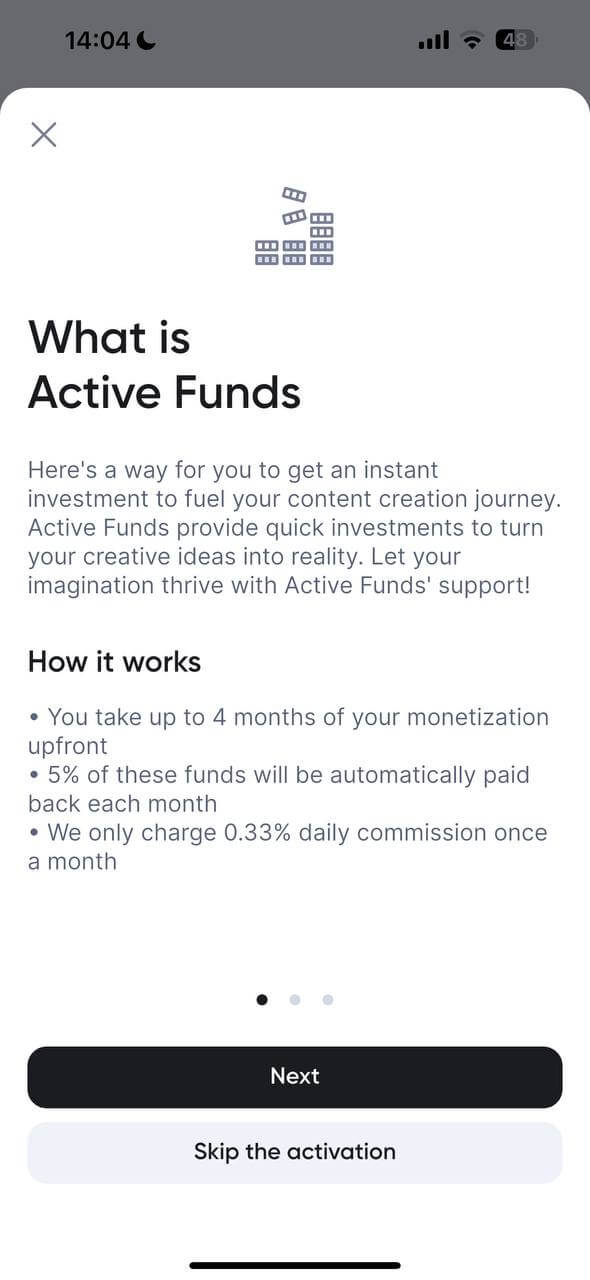
Active Funds is a strategic investment tool designed for creators who want to scale their production immediately. Instead of waiting for monthly AdSense payouts, MilX allows you to access a portion of your future earnings today.
Because this is a high-level financial service, it involves a thorough eligibility and scoring process to ensure it is the right fit for your channel’s health.
1. Eligibility & Requirements
To be considered for Active Funds, your channel must meet specific performance benchmarks:
- Minimum earnings: Your channel must consistently generate at least $70 per month in monetization revenue.
- Fast growth status: We look for channels with an upward growth trajectory. Active Funds are specifically designed to accelerate existing momentum, so your channel should show consistent increases in views and engagement.
- Official partner status: Your channel must have passed the initial MilX Safety Team review and remain in full compliance with YouTube’s Community Guidelines.
2. How We Calculate Your Limit
We don't use a "one size fits all" formula. Our internal scoring system evaluates dozens of criteria to determine your custom funding limit, including:
- Historical revenue stability and seasonal trends.
- Audience retention and engagement rates.
- Content niche and CPM (Cost Per Mille) forecasts.
- Growth velocity over the last 90 days.
3. How to Request Your Investment
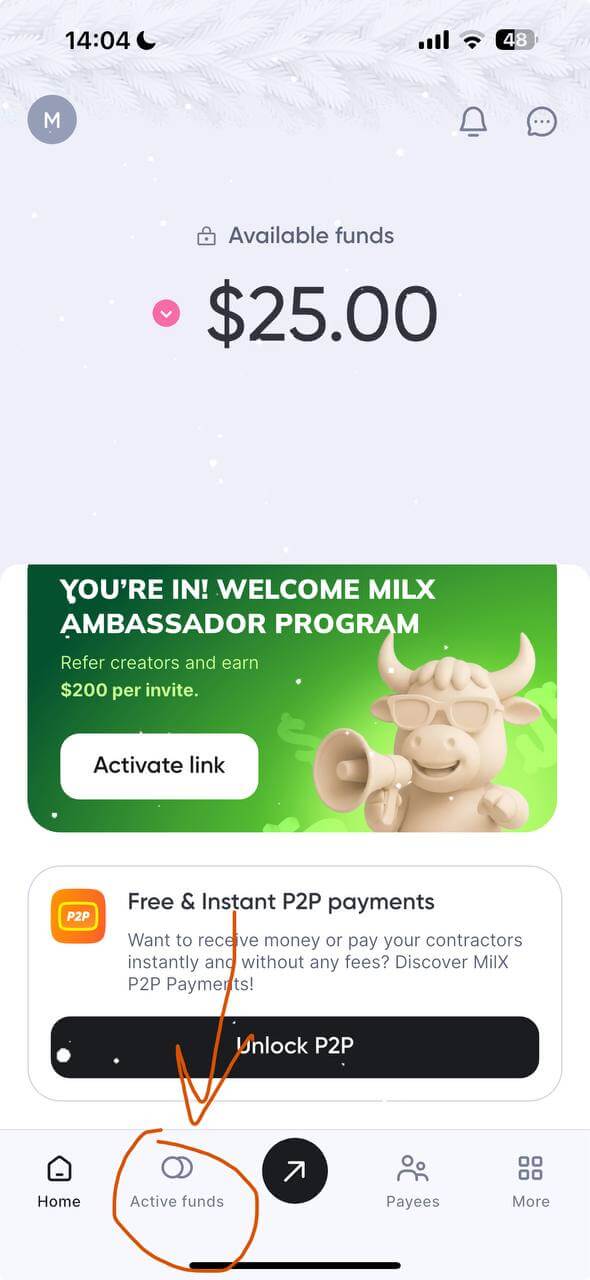
Open the Active Funds Tab: On your MilX app navigation bar, tap the "Active funds" icon.
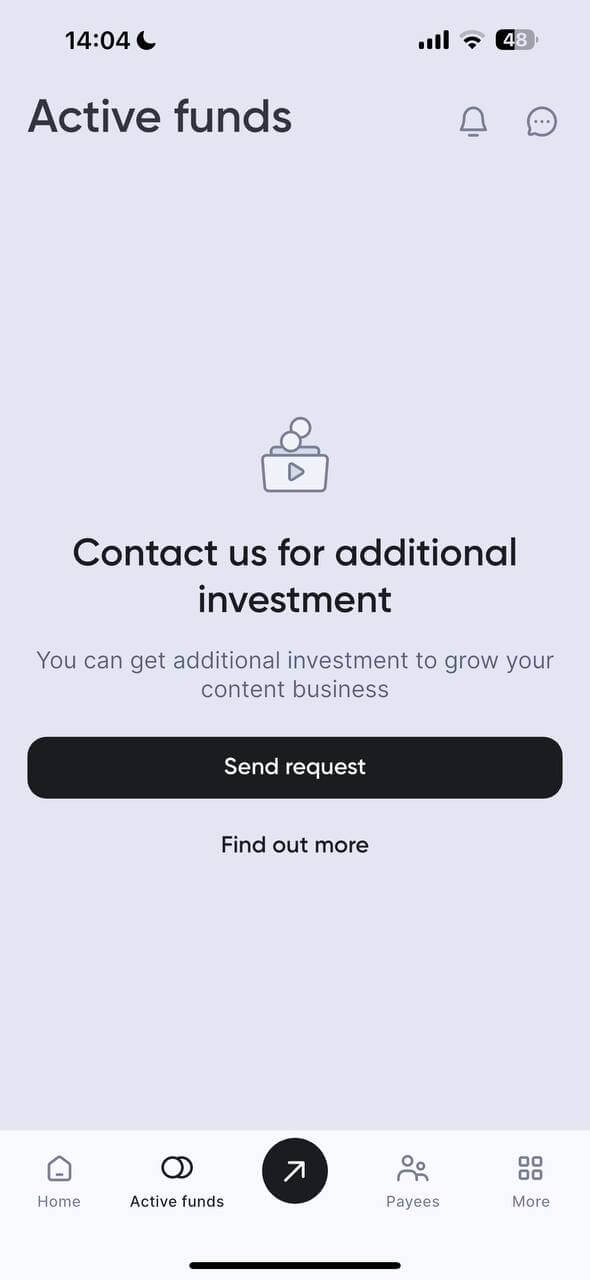
Initiate the Request: Tap the prominent "Send request" button.
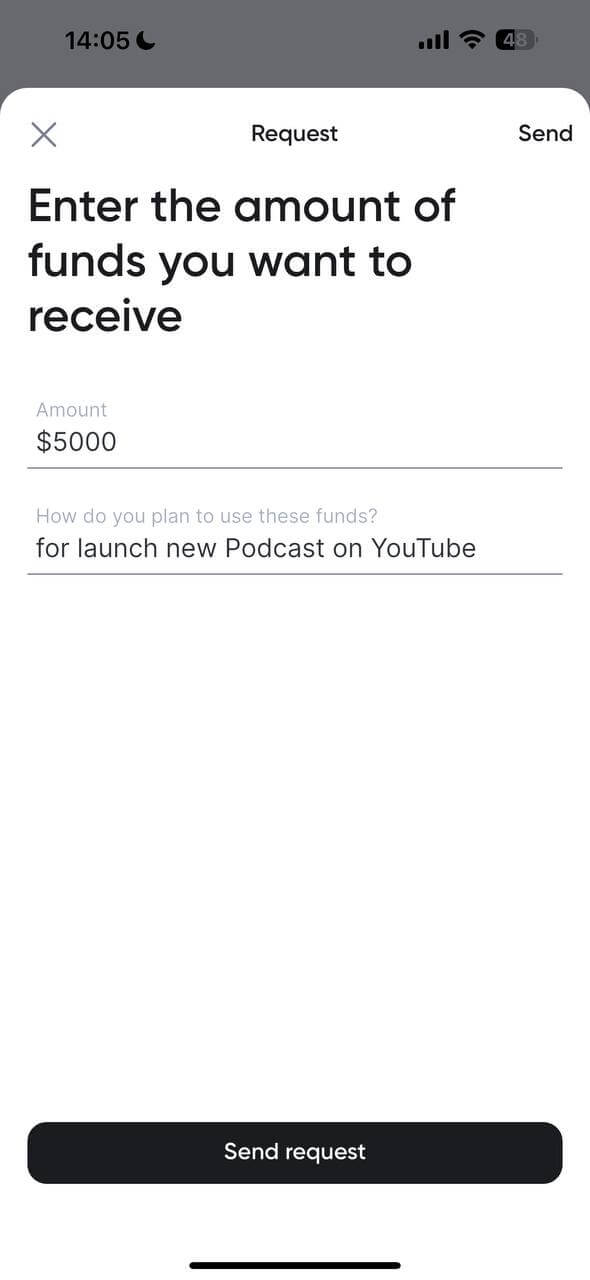
Specify your needs: * Amount: Enter the total amount you need. You can request up to 4-6 months of your average monetization upfront.
Purpose: Briefly explain your vision (e.g., "Hiring a full-time thumbnail designer" or "Purchasing a Sony A7S III for 4K production"). This helps our team understand your growth strategy.
Submit: Double-check your numbers and hit "Send request." Our team will review it and get back to you quickly.
4. Transparent Terms & Repayment
We believe in intellectual honesty and total transparency. Here is exactly how the funding works, so there are no surprises:
|
Feature |
Detail |
|
Max funding |
Up to 4-6 months of your current monetization levels. |
|
Daily commission |
0.33% (calculated daily, but only charged once a month). |
|
Monthly repayment |
A manageable 5% of the principal is returned each month. |
|
Flexibility |
You can choose to return the full amount at any time without extra penalties. |
Pro tip: Because the repayment is a fixed percentage, it scales with your channel. If you have a slower month, the repayment remains proportional to your growth, keeping your cash flow healthy.
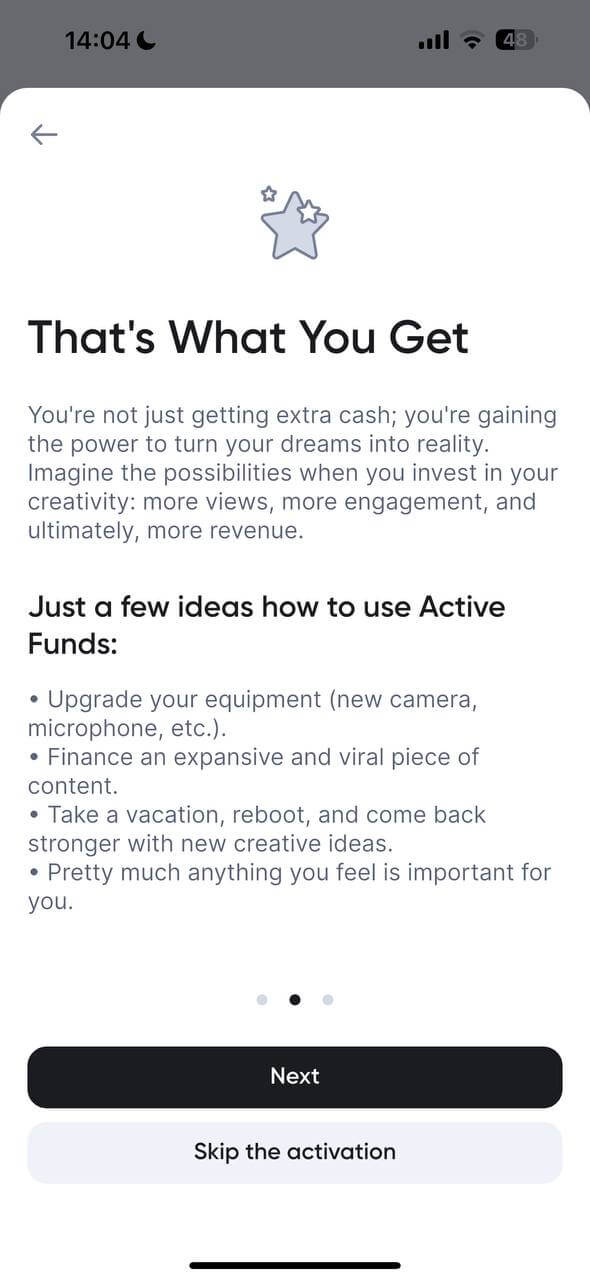
5. Strategic Ways to Use Your Funds
Top YouTubers use Active Funds to create a "growth loop." Here are the most effective ways to spend your investment:
- Production quality: Upgrade lighting, sound, or camera gear to increase viewer retention.
- Content volume: Hire an editor to move from 1 video a week to 3, effectively tripling your ad revenue potential.
- Audience expansion: Fund ad campaigns or collaborations to break into new markets.
- Creative freedom: Use the funds to cover living expenses so you can focus 100% on a "big bet" project or a new channel launch.
6. Managing Your Active Balance
Once your request is approved, the funds appear instantly in your MilX Wallet. You can track your repayment progress and see how much "active" capital you have remaining directly from the Active Funds dashboard. As you pay back the initial investment, you unlock the ability to request even larger amounts for your next big milestone.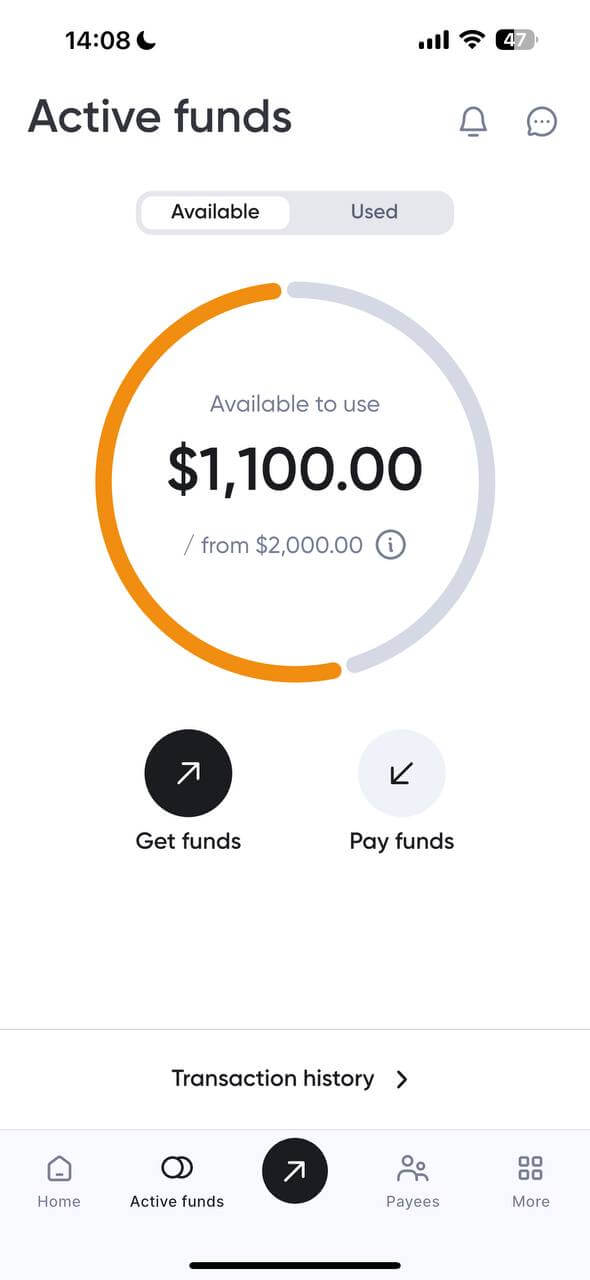
Free P2P Transfers: Pay Creators, Not Fees
Need to send money to your editor, thumbnail designer, or second channel? With MilX, you can do it instantly.
That’s the power of P2P transfers (peer-to-peer). It’s a creator-to-creator payment inside the MilX ecosystem.
You can move funds between:
- Your own MilX accounts (e.g., main + team account).
- You and your freelancers or collaborators.
- Team members across different countries.
How to send a free P2P transfer:
- Open the MilX app.
- Go to the “Payee” section.
- Add a new payee (email or MilX ID) if needed or choose the existing one.
- Tap “Send” next to their name.
- Enter the amount and confirm that’s it!
Want to make it even easier? Save frequent recipients as Payees with nicknames.
In addition, you can:
- Share the MilX app link with the person you want to pay.
- Ask them to tap “Unlock P2P” once inside the app; this activates their personal P2P address.
- Once they share that address (or you add them as a payee),
- You can send a P2P transfer instantly and for free by selecting “P2P” as the payment method.
Set It and Forget It: Automate Your Payouts with MilX
Tired of remembering who to pay and when? With MilX, you can schedule regular payments, so your editor gets paid on time, your rent never runs late, and you can focus on content, not calendars.
Recurring payments in MilX let you automate transfers to any saved payee on a weekly, bi-weekly, or monthly basis. It’s like having your own finance assistant inside the app.
There are no limitations on the amount, frequency, or number of transactions for this product.
But if multiple payments are scheduled for the same day, MilX processes them by priority.
As long as there’s enough balance, all goes through. But if funds are limited, high-priority payments are sent first, and lower-priority ones may be paused until more funds are available.
Why use it?
- Pay your editor every Friday, no reminders needed.
- Send rent automatically on the 1st of each month.
- Stay consistent with team payouts as your channel grows.
How to set up a recurring payment in MilX:
- Open the MilX app.
- Go to “Payees.”
- Tap on the payee you want to automate payments to.
- Choose “Recurring payment.”
- Select frequency: weekly, bi-weekly, or monthly.
- Enter the amount and start date.
- Tap Confirm, done!
MilX will take care of the rest.
Understanding Your Key Services for Income Management
When you connect your channel and start using MilX, you gain access to a suite of financial tools that map your YouTube monetization into actionable insights.
You’ll see:
- Daily YouTube earnings, pulled straight from your channel’s real monetization data, no guesswork, no waiting.
- Your total available balance, exactly what’s ready to withdraw or spend.
- Withdrawal history, including date, method, and amount, so you always know when and how money was transferred from your account.
- Upcoming payout forecasts, based on recent performance and revenue accumulation, help plan content, expenses, or investments.
- Currency conversion and multi‑payment support, if you withdraw to a different currency or via crypto, bank, e‑wallet, etc., MilX handles the conversions.
While YouTube itself shows you views, watch time, and CPM, MilX shows you how those metrics convert into real money - day by day, channel by channel, payout by payout.
MilX connects your content performance with real cash flow visibility.
You stop guessing when your money arrives. Now you can see what’s in, what’s pending, and what’s coming next.
That transforms YouTube revenue into a steady, predictable stream, useful for real‑life budgeting, investments, and creative planning.
On top of that, MilX’s flexible payout and transfer system gives you options.
You’re not limited to one payout method anymore. Whether you need to send funds to a bank account, pay collaborators via e‑wallet or crypto, or manage multiple currencies, MilX handles it all.
The MilX Ambassador Program & Passive Income
For our most trusted creators, the journey doesn’t end with banking. Once your channel is established within our ecosystem, you may receive an exclusive invitation to the MilX Ambassador Program.
1. Join the Ambassador Circle
Exclusive invite: High-performing and trusted clients are invited to become official MilX Ambassadors.
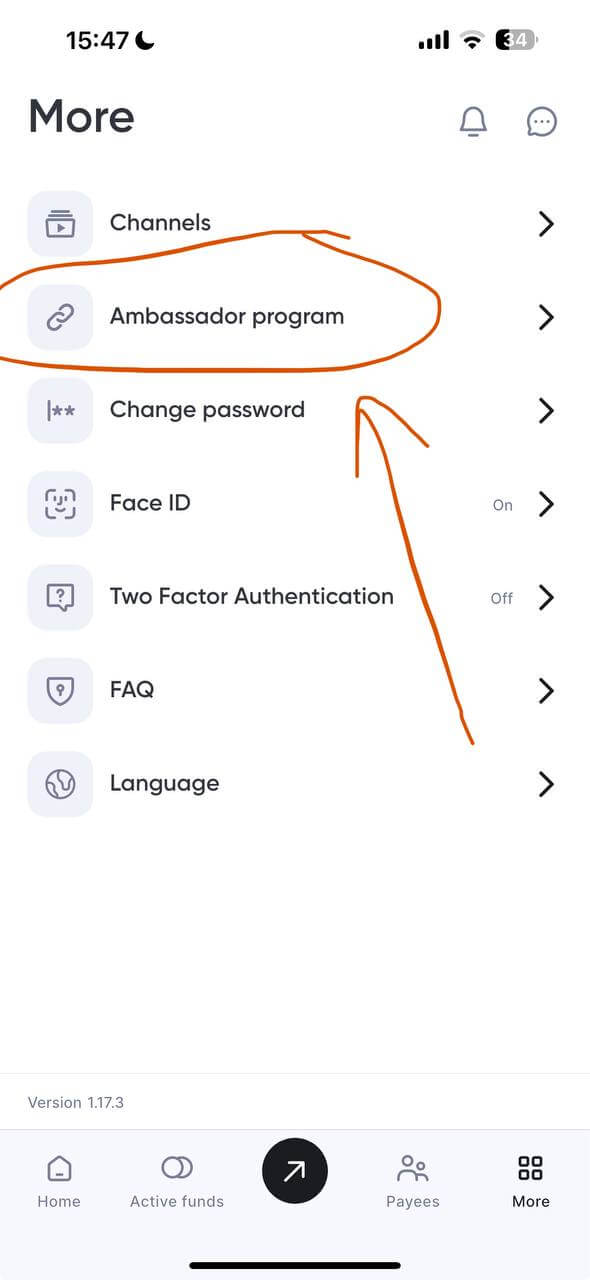
Share your success: As an Ambassador, you can invite your fellow YouTuber friends and colleagues to join the MilX platform.
2. Create a Passive Income Stream
Personalized referral tools: You will receive a unique referral link (e.g., https://my.milx.app?ref=...) and a custom referral code to share with your network.
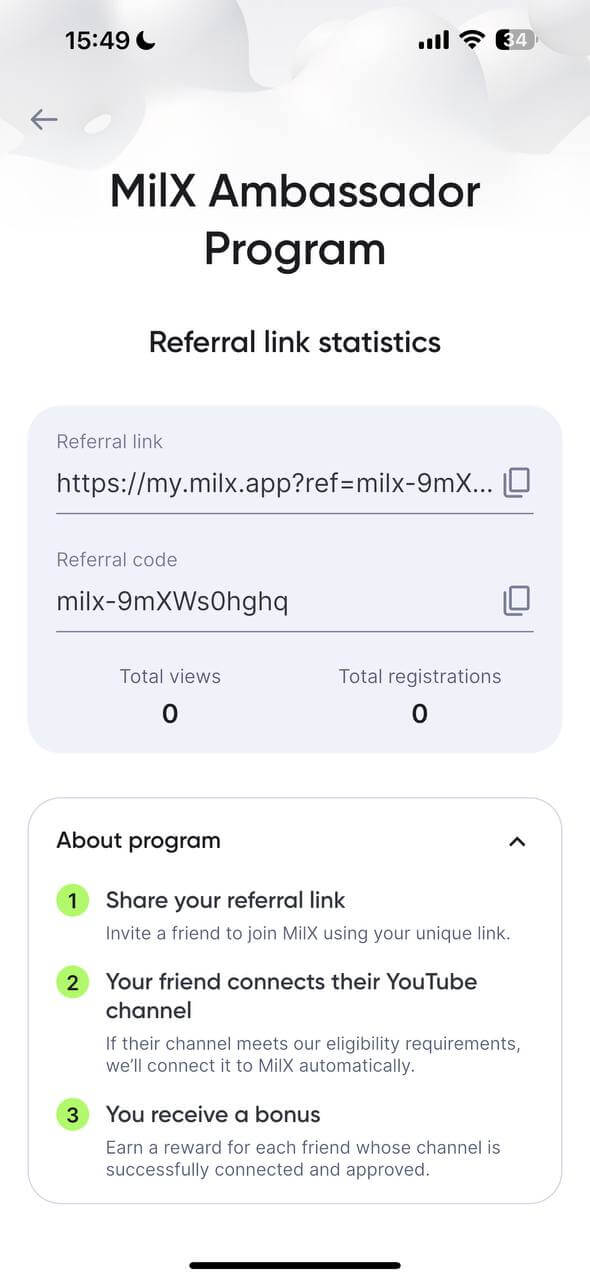
Earn from referrals: For every creator you refer who joins and starts using MiLX, you can earn a percentage of their activity, creating a consistent passive income stream that grows alongside your community.
Track your growth: Use the dedicated Ambassador Dashboard to monitor your referral link statistics in real-time, including:
- Total views: See how many people have clicked your link.
- Total registrations: Track how many creators have successfully signed up using your code.
3. Professional Support & Community
- Transparent terms: All ambassadors have access to clear Terms and Conditions to ensure a professional and rewarding partnership.
- Direct Impact: By referring your friends, you’re helping them access the same elite banking tools like Instant Crypto Withdrawals and Active Funds that helped grow your own channel.
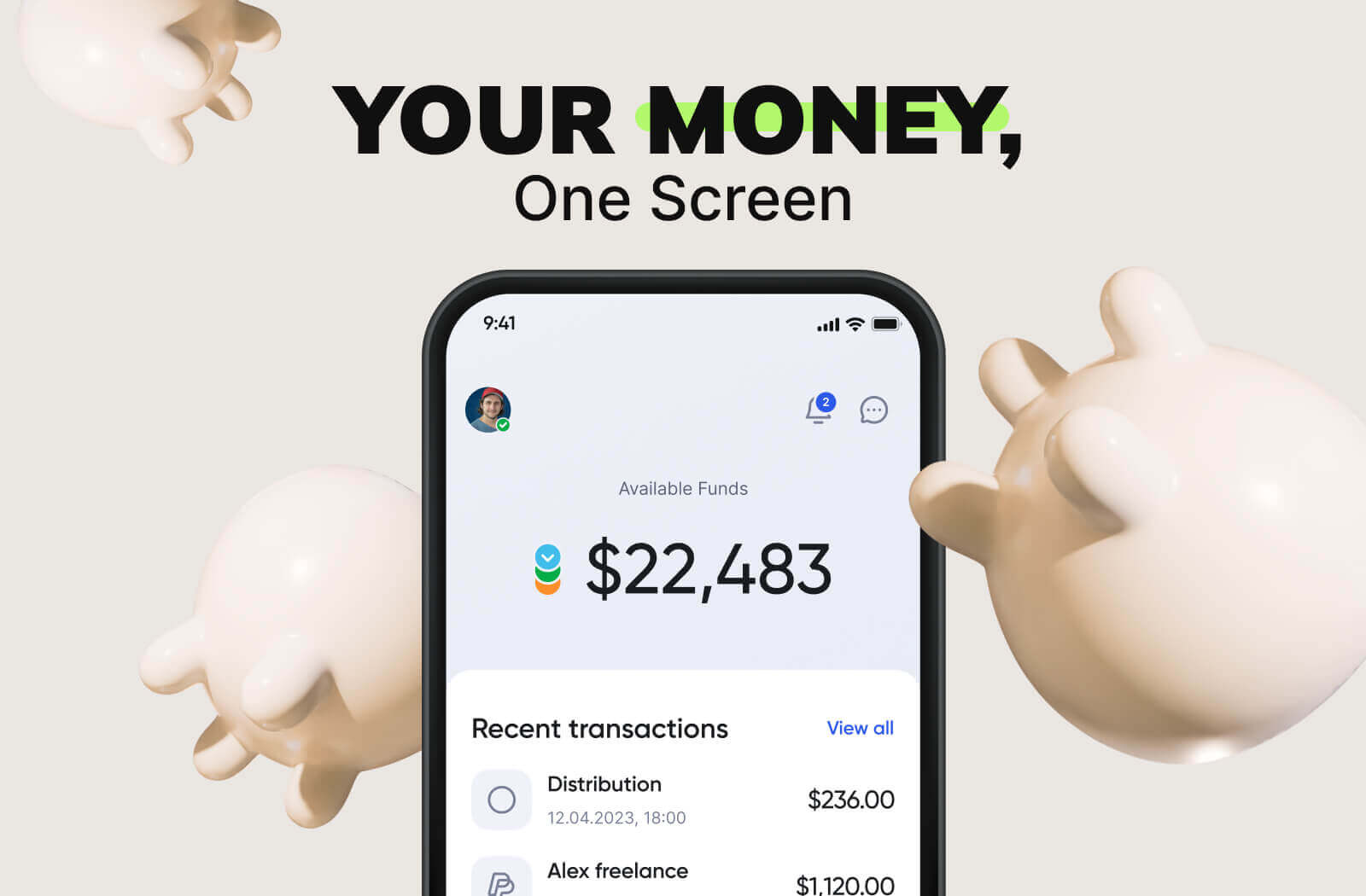
Download MilX Now and Start Managing Your Revenue Effectively
The MilX app isn’t just another tool; it’s your financial HQ. If you're serious about content creation, understanding your YouTube earnings shouldn’t be a monthly mystery.
MilX gives you total visibility, flexible access, and a dashboard built for creators, not accountants.
Join over 3,100 creators already using MilX to take control of their YouTube monetization journey.