

Let’s break down why your actual payout is often smaller than it should be… and what to do about it.
Where the “Missing %” Comes From
Every time your payout crosses currencies, fees stack up. And not all of them are visible.
Banks, processors, and platforms quietly bake in exchange rate markups, which are harder to notice. For creators who work across borders, the cost adds up fast.
Example: If you get paid $1,000 via PayPal and withdraw in euros, your actual amount might be worth only $950. That’s the currency conversion spread doing its thing.
👉 Explore how YouTube creators lose thousands on payment platforms without noticing.
FX Markup vs Explicit Fees
(FX = Foreign Exchange in this context is a process of converting one currency into another).
Most creators focus on visible fees. A $4.99 PayPal conversion fee (for international personal transactions) feels small and predictable. It shows up clearly in the transaction details. That makes it easy to accept and move on.
The real damage happens earlier inside the exchange rate itself.
When PayPal converts your balance, it does not use the mid‑market rate you see on Google or financial sites. Instead, it applies its own PayPal conversion rate, which includes a built‑in exchange rate markup. This markup is usually around 3–4%, sometimes more, depending on the currency pair and region.
On a $1,000 payout, that difference alone can quietly remove $30–$40.
That’s why currency conversion fees often look smaller than they actually are. The visible fee is only the surface.
The currency conversion spread hidden inside the rate is where most of the money disappears.
Even worse, many creators compare only fees, not rates. They see a low PayPal conversion fee and assume the cost is minimal. In reality, the exchange rate markup can be 5–8× more expensive than the explicit fee.
This markup is applied automatically. You don’t opt into it. You don’t negotiate it. It happens by default every time a forced conversion occurs.
No Need to Wait for Next Month
Unlock up to 6 months of YouTube income instantly with MilX Active Funds. Build, shoot, and grow, without stalling for payouts.
Double Conversion: How Creators Get Charged Twice Without Noticing
This is one of the sneakiest ways creators lose money, and most don’t catch it until it’s too late.
Let’s break it down.
You get paid in USD to your PayPal account. But your local bank account is set to EUR.
Here’s what happens:
- PayPal converts USD to EUR using their rate, which often includes a 3–4% markup.
- Then, when you withdraw to your bank, your bank converts EUR to your local currency (like UAH or PLN) at their own rate, with another 2–3% taken in spread or foreign transaction fees.
Together, they could eat up 6–7% of your payout.
On a $1,000 transfer, that’s $60–$70 gone, just for crossing currencies twice.
The loss is hard to trace. Each provider displays its own rate, not the overall picture. You may just notice your balance is smaller than expected and never realize back-to-back FX markups drained it.
If you receive in one currency and withdraw in another without controlling the path, you're likely getting hit twice. And each step silently takes its cut.
The fix? Match your PayPal currency to your withdrawal currency or switch to a multi-currency account that accepts payouts without auto-conversion. That one setting could save you hundreds per year.
👉 Get insights about how to avoid additional fees when transferring YouTube funds.

Caught in These 3? You’re Losing Money
Some fees are silent by design, and these three are the most common traps creators fall into without realizing.
1. PayPal Auto-Conversion
Once again this gets you before you even hit “Withdraw.”
By default, PayPal auto-converts your funds when the payout currency doesn’t match the destination account. If your balance is in USD and your local card or bank accepts only EUR, PayPal doesn’t ask it to convert.
But not at market rate.
They apply their own PayPal conversion rate, which includes a 3–4% markup.
It’s automatic. And unless you’ve manually disabled auto-conversion in your settings, you’re paying for it every time.
2. Dynamic Currency Conversion (DCC)
You’re at checkout or booking a service online. The platform kindly offers to show you the total in your home currency. Seems helpful, but that’s DCC, and it’s one of the worst options available.
Instead of your card provider or platform handling the conversion, the merchant chooses the rate. That rate can include a markup of up to 12%, and you won’t know until it’s too late.
Even worse: DCC doesn’t replace your bank’s foreign transaction fee; it stacks on top.
So you’re paying extra just to see prices in a familiar currency.
3. Intermediary Bank Fees
If your payout goes through SWIFT, there’s a good chance one or more intermediary banks will handle the transfer. You don’t see them and don’t choose them. But they each take a cut.
That cut? Usually $10–$30 per transfer. Just a smaller balance when your money lands.
This hits creators hardest in countries where local banks don’t support direct USD or EUR deposits.
The only way to avoid it? Route payouts through services that skip SWIFT, like Wise, or a platform that offers direct payouts in your currency with local rails.
How to Calculate Your Real Conversion Loss
The real loss often hides inside the rate itself, not the fee label.
Here’s how to check how much you’re actually losing every time you convert currency:
The formula:
(Mid-market rate − Received rate) / Mid-market rate × 100 = % lost to FX markup.
This tells you how far off your payout is from the real value.
Real example:
Let’s say you withdraw $1,000 from PayPal to EUR.
- Mid-market rate: 1 USD = 0.92 EUR;
- PayPal rate: 1 USD = 0.89 EUR;
Plug it in:
(0.92 − 0.89) / 0.92 × 100 = 3.26% FX markup.
That’s €32.60 lost, and that’s before any visible fee.
Now add the PayPal currency conversion fee, which can be another $4.99–$10, depending on region and method. Suddenly, your real cost is closer to $40–$45 on a single payout.
And if your bank does another conversion on top of that? Add 2–3% more.
This is why it’s crucial to check both:
- The rate you’re getting.
- The fees you’re shown.
Because even when the fee looks small, the loss can be big.
👉 Discover these top 7 mistakes YouTube creators make when managing payments.
Your Cash, Your Choice
With MilX, you can send YouTube payouts to a bank, card, e-wallet, or crypto wallet in 40+ currencies. Total control. No forced conversions.
Practical Fixes
If you’re losing money to bad rates, these simple fixes can seal the leak.
Multi-Currency Setup: When It Saves Your Money
If your platform supports it, keep your balance in USD or the original earning currency. Open a multi-currency account with Wise, Revolut, or Payoneer, then withdraw directly without conversion.
This avoids both PayPal and bank conversion layers.
Wise lets you receive in USD, EUR, GBP, and more with local account details and mid-market rates.
Getting Paid in the Right Currency: Reduce Forced Conversions
Match your payout currency to your local account.
If you’re in Ukraine and receiving in EUR, connect a EUR account, not UAH.
This reduces double conversion and PayPal conversion rate losses.
Some platforms let you choose your payout currency. Always pick the one that fits your account.
When Stablecoins Make Sense (And When They Don’t)
Stablecoins (like USDT, USDC) avoid FX fees completely.
You get exactly what you're sent.
But there’s a catch:
- You need a crypto wallet.
- Cashing out locally might still involve conversion fees.
- Some countries have restrictions.
Still, for creators in LATAM, Africa, or Eastern Europe, crypto can offer more stable and faster payouts than banks.
👉 Learn more about why YouTubers use stablecoins.
MilX, Special for YouTubers: 40+ Currencies, No Borders
MilX supports payouts in 40+ currencies, including crypto. That means you choose how to receive your AdSense income, not your bank.
Creators can withdraw in local currencies like USD, EUR, GBP, KRW, UAH, or in BTC, USDT, or USDC.
Use a bank transfer, card, or e‑wallet, whatever fits your setup.
Why this matters:
- You avoid forced conversions.
- You cut hidden FX fees.
- You pay your team in the same currency they prefer.
This way, your money moves in the format that makes sense for you, not the one with the worst rate.
Checklist for Creators & Teams
Don’t just focus on what you earn, protect what you keep.
Here’s your go-to list to stop silent losses from creeping into your payouts:
- Turn off PayPal auto-conversion. Go into your PayPal settings and disable automatic currency conversion. This gives you control over when and how conversions happen, not PayPal.
- Open a multi-currency account. Tools like Wise, Revolut, or Payoneer let you hold balances in USD, EUR, GBP, and more without forced conversions. Match payout currency to balance currency.
- Track mid-market rates before every withdrawal. Check Google to see the real exchange rate. If your platform’s rate is off by more than 1–2%, you’re overpaying.
- Avoid DCC at all costs. At checkout or ATMs, always pay in the local currency, not your card’s currency. Saying yes to DCC can cost you up to 12% more.
- Audit your team’s payment setup. If you’re sending funds to editors, and designers, check if they’re losing money to FX on their end. Help them set up better payout options to avoid team-wide leakage.
- Compare PayPal’s rate vs Visa/Mastercard. Sometimes it’s better to let your card provider handle the conversion. Use Visa or Mastercard’s public rate calculators to compare before you confirm a transaction.
👉 Check outthese tips for effective financial management for YouTube creators.
How MilX Helps Reduce Currency Conversion Leakage
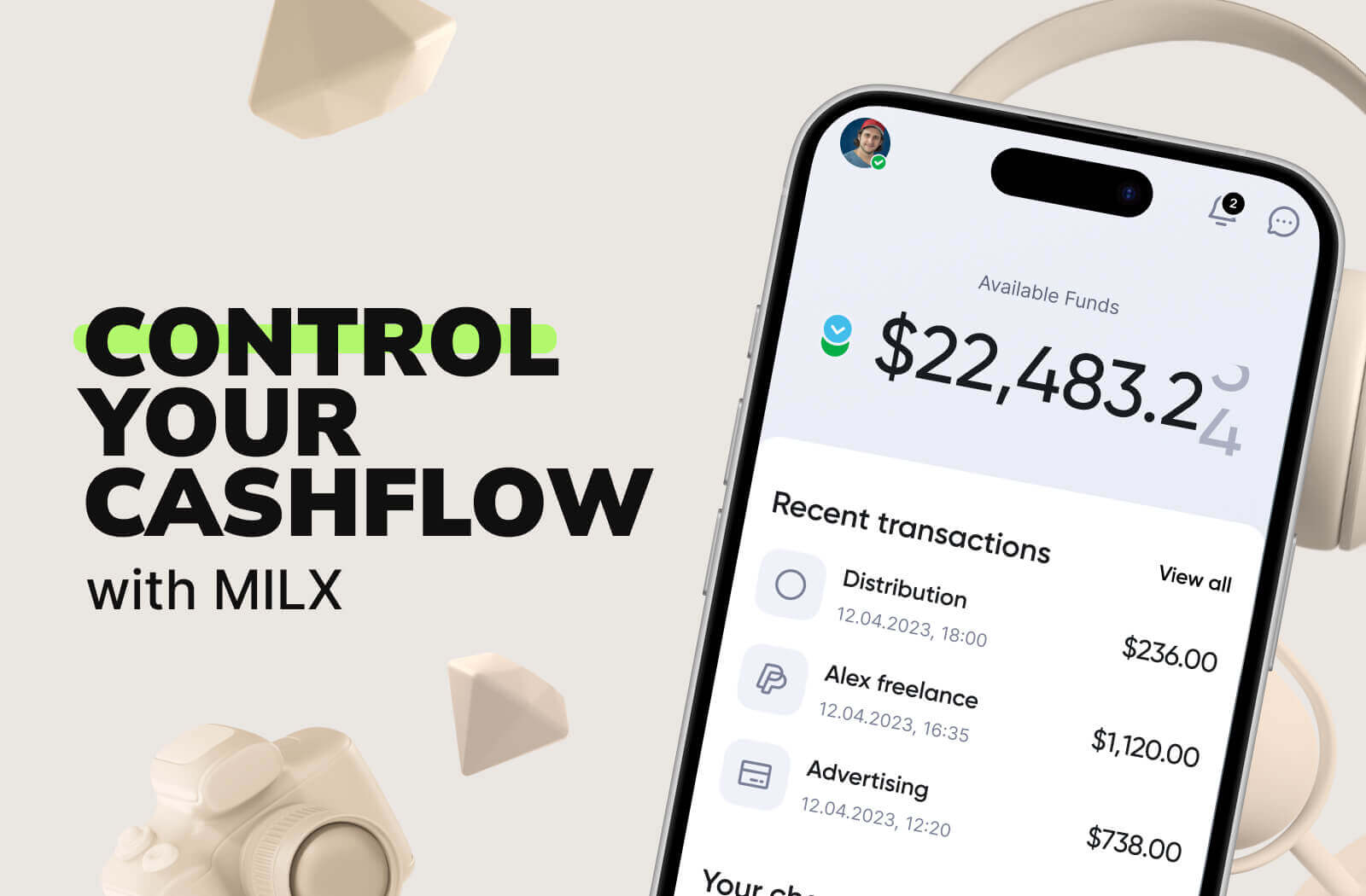
MilX was built for creators, and that includes protecting their income from invisible losses.
With MilX Active Funds, you get:
- Up to 6 months of YouTube income upfront.
- Withdraw in 40+ currencies, including crypto.
- 10+ payout options (bank, card, wallet, stablecoin).
- Built-in P2P transfers to pay your team with no FX friction.
👉Find out why YouTube creators love MilX.
This way, you skip conversion traps before they happen. You decide when and how to cash out, not PayPal, not your bank, and not the exchange rate gods.
Over 3,100 creators already use MilX to move faster without giving up 15% in silent fees.